
 Flaky Tests AI Finder for Uyuni and MLM Test Suites
Description
Our current Grafana dashboards provide a great overview of test suite health, including a panel for "Top failed tests." However, identifying which of these failures are due to legitimate bugs versus intermittent "flaky tests" is a manual, time-consuming process. These flaky tests erode trust in our test suites and slow down development.
This project aims to build a simple but powerful Python script that automates flaky test detection. The script will directly query our Prometheus instance for the historical data of each failed test, using the jenkins_build_test_case_failure_age metric. It will then format this data and send it to the Gemini API with a carefully crafted prompt, asking it to identify which tests show a flaky pattern.
The final output will be a clean JSON list of the most probable flaky tests, which can then be used to populate a new "Top Flaky Tests" panel in our existing Grafana test suite dashboard.
Goals
By the end of Hack Week, we aim to have a single, working Python script that:
- Connects to Prometheus and executes a query to fetch detailed test failure history.
- Processes the raw data into a format suitable for the Gemini API.
- Successfully calls the Gemini API with the data and a clear prompt.
- Parses the AI's response to extract a simple list of flaky tests.
- Saves the list to a JSON file that can be displayed in Grafana.
- New panel in our Dashboard listing the Flaky tests
Resources
- Jenkins Prometheus Exporter: https://github.com/uyuni-project/jenkins-exporter/
- Data Source: Our internal Prometheus server.
- Key Metric:
jenkins_build_test_case_failure_age{jobname, buildid, suite, case, status, failedsince}. - Existing Query for Reference:
count by (suite) (max_over_time(jenkins_build_test_case_failure_age{status=~"FAILED|REGRESSION", jobname="$jobname"}[$__range])). - AI Model: The Google Gemini API.
- Example about how to interact with Gemini API: https://github.com/srbarrios/FailTale/
- Visualization: Our internal Grafana Dashboard.
- Internal IaC: https://gitlab.suse.de/galaxy/infrastructure/-/tree/master/srv/salt/monitoring
Outcome
- Jenkins Flaky Test Detector: https://github.com/srbarrios/jenkins-flaky-tests-detector and its container
- IaC on MLM Team: https://gitlab.suse.de/galaxy/infrastructure/-/tree/master/srv/salt/monitoring/jenkinsflakytestsdetector?reftype=heads, https://gitlab.suse.de/galaxy/infrastructure/-/blob/master/srv/salt/monitoring/grafana/dashboards/flaky-tests.json?ref_type=heads, and others.
- Grafana Dashboard: https://grafana.mgr.suse.de/d/flaky-tests/flaky-tests-detection @ @ text

Looking for hackers with the skills:
This project is part of:
Hack Week 25
Activity
Comments
-

2 months ago by oscar-barrios | Reply
The code of the flaky detector is here: https://github.com/srbarrios/jenkins-flaky-tests-detector
I also published a Docker container to use it here: https://github.com/srbarrios/jenkins-flaky-tests-detector/pkgs/container/jenkins-flaky-tests-detector
The plan now is to write a Salt state in our MLM internal infra, so it runs this container, it expose the results in a web server running on the container, and then I parse it on Grafana.
-
2 months ago by oscar-barrios | Reply
I created the new Grafana dashboard for Uyuni here: https://grafana.mgr.suse.de/d/flaky-tests/flaky-tests-detection?orgId=1&from=now-6h&to=now&timezone=browser&refresh=1m
Next step now is to build it in a way that I can get the flaky tests for all the Jenkins job test results that we monitoring in MLM.
-
2 months ago by oscar-barrios | Reply
Now we can select any of the running test suites, and get a list of the most probable flaky tests :)
-
2 months ago by oscar-barrios | Reply
I will consider this hackweek done for now, to move to my second hackweek project. The outcome it has been good, I must admit that I also vibe coded some parts using Gemini 3. Also, the script analyzing the prometheus series is not relying only on a LLM call, but it also do a first triage based on a simple algorithm, saving resources to ask AI only for ambiguos and complex test failures.
Similar Projects
Set Uyuni to manage edge clusters at scale by RDiasMateus
Description
Prepare a Poc on how to use MLM to manage edge clusters. Those cluster are normally equal across each location, and we have a large number of them.
The goal is to produce a set of sets/best practices/scripts to help users manage this kind of setup.
Goals
step 1: Manual set-up
Goal: Have a running application in k3s and be able to update it using System Update Controler (SUC)
- Deploy Micro 6.2 machine
Deploy k3s - single node
- https://docs.k3s.io/quick-start
Build/find a simple web application (static page)
- Build/find a helmchart to deploy the application
Deploy the application on the k3s cluster
Install App updates through helm update
Install OS updates using MLM
step 2: Automate day 1
Goal: Trigger the application deployment and update from MLM
- Salt states For application (with static data)
- Deploy the application helmchart, if not present
- install app updates through helmchart parameters
- Link it to GIT
- Define how to link the state to the machines (based in some pillar data? Using configuration channels by importing the state? Naming convention?)
- Use git update to trigger helmchart app update
- Recurrent state applying configuration channel?
step 3: Multi-node cluster
Goal: Use SUC to update a multi-node cluster.
- Create a multi-node cluster
- Deploy application
- call the helm update/install only on control plane?
- Install App updates through helm update
- Prepare a SUC for OS update (k3s also? How?)
- https://github.com/rancher/system-upgrade-controller
- https://documentation.suse.com/cloudnative/k3s/latest/en/upgrades/automated.html
- Update/deploy the SUC?
- Update/deploy the SUC CRD with the update procedure
Uyuni read-only replica by cbosdonnat
Description
For now, there is no possible HA setup for Uyuni. The idea is to explore setting up a read-only shadow instance of an Uyuni and make it as useful as possible.
Possible things to look at:
- live sync of the database, probably using the WAL. Some of the tables may have to be skipped or some features disabled on the RO instance (taskomatic, PXT sessions…)
- Can we use a load balancer that routes read-only queries to either instance and the other to the RW one? For example, packages or PXE data can be served by both, the API GET requests too. The rest would be RW.
Goals
- Prepare a document explaining how to do it.
- PR with the needed code changes to support it
Uyuni Health-check Grafana AI Troubleshooter by ygutierrez
Description
This project explores the feasibility of using the open-source Grafana LLM plugin to enhance the Uyuni Health-check tool with LLM capabilities. The idea is to integrate a chat-based "AI Troubleshooter" directly into existing dashboards, allowing users to ask natural-language questions about errors, anomalies, or performance issues.
Goals
- Investigate if and how the
grafana-llm-appplug-in can be used within the Uyuni Health-check tool. - Investigate if this plug-in can be used to query LLMs for troubleshooting scenarios.
- Evaluate support for local LLMs and external APIs through the plugin.
- Evaluate if and how the Uyuni MCP server could be integrated as another source of information.
Resources
Ansible to Salt integration by vizhestkov
Description
We already have initial integration of Ansible in Salt with the possibility to run playbooks from the salt-master on the salt-minion used as an Ansible Control node.
In this project I want to check if it possible to make Ansible working on the transport of Salt. Basically run playbooks with Ansible through existing established Salt (ZeroMQ) transport and not using ssh at all.
It could be a good solution for the end users to reuse Ansible playbooks or run Ansible modules they got used to with no effort of complex configuration with existing Salt (or Uyuni/SUSE Multi Linux Manager) infrastructure.
Goals
- [v] Prepare the testing environment with Salt and Ansible installed
- [v] Discover Ansible codebase to figure out possible ways of integration
- [v] Create Salt/Uyuni inventory module
- [v] Make basic modules to work with no using separate ssh connection, but reusing existing Salt connection
- [v] Test some most basic playbooks
Resources
Enable more features in mcp-server-uyuni by j_renner
Description
I would like to contribute to mcp-server-uyuni, the MCP server for Uyuni / Multi-Linux Manager) exposing additional features as tools. There is lots of relevant features to be found throughout the API, for example:
- System operations and infos
- System groups
- Maintenance windows
- Ansible
- Reporting
- ...
At the end of the week I managed to enable basic system group operations:
- List all system groups visible to the user
- Create new system groups
- List systems assigned to a group
- Add and remove systems from groups
Goals
- Set up test environment locally with the MCP server and client + a recent MLM server [DONE]
- Identify features and use cases offering a benefit with limited effort required for enablement [DONE]
- Create a PR to the repo [DONE]
Resources
Uyuni Health-check Grafana AI Troubleshooter by ygutierrez
Description
This project explores the feasibility of using the open-source Grafana LLM plugin to enhance the Uyuni Health-check tool with LLM capabilities. The idea is to integrate a chat-based "AI Troubleshooter" directly into existing dashboards, allowing users to ask natural-language questions about errors, anomalies, or performance issues.
Goals
- Investigate if and how the
grafana-llm-appplug-in can be used within the Uyuni Health-check tool. - Investigate if this plug-in can be used to query LLMs for troubleshooting scenarios.
- Evaluate support for local LLMs and external APIs through the plugin.
- Evaluate if and how the Uyuni MCP server could be integrated as another source of information.
Resources
Local AI assistant with optional integrations and mobile companion by livdywan
Description
Setup a local AI assistant for research, brainstorming and proof reading. Look into SurfSense, Open WebUI and possibly alternatives. Explore integration with services like openQA. There should be no cloud dependencies. Mobile phone support or an additional companion app would be a bonus. The goal is not to develop everything from scratch.
User Story
- Allison Average wants a one-click local AI assistent on their openSUSE laptop.
- Ash Awesome wants AI on their phone without an expensive subscription.
Goals
- Evaluate a local SurfSense setup for day to day productivity
- Test opencode for vibe coding and tool calling
Timeline
Day 1
- Took a look at SurfSense and started setting up a local instance.
- Unfortunately the container setup did not work well. Tho this was a great opportunity to learn some new podman commands and refresh my memory on how to recover a corrupted btrfs filesystem.
Day 2
- Due to its sheer size and complexity SurfSense seems to have triggered btrfs fragmentation. Naturally this was not visible in any podman-related errors or in the journal. So this took up much of my second day.
Day 3
- Trying out opencode with Qwen3-Coder and Qwen2.5-Coder.
Day 4
- Context size is a thing, and models are not equally usable for vibe coding.
- Through arduous browsing for ollama models I did find some like
myaniu/qwen2.5-1m:7bwith 1m but even then it is not obvious if they are meant for tool calls.
Day 5
- Whilst trying to make opencode usable I discovered ramalama which worked instantly and very well.
Outcomes
surfsense
I could not easily set this up completely. Maybe in part due to my filesystem issues. Was expecting this to be less of an effort.
opencode
Installing opencode and ollama in my distrobox container along with the following configs worked for me.
When preparing a new project from scratch it is a good idea to start out with a template.
opencode.json
``` {
Try AI training with ROCm and LoRA by bmwiedemann
Description
I want to setup a Radeon RX 9600 XT 16 GB at home with ROCm on Slowroll.
Goals
I want to test how fast AI inference can get with the GPU and if I can use LoRA to re-train an existing free model for some task.
Resources
- https://rocm.docs.amd.com/en/latest/compatibility/compatibility-matrix.html
- https://build.opensuse.org/project/show/science:GPU:ROCm
- https://src.opensuse.org/ROCm/
- https://www.suse.com/c/lora-fine-tuning-llms-for-text-classification/
Results
got inference working with llama.cpp:
export LLAMACPP_ROCM_ARCH=gfx1200
HIPCXX="$(hipconfig -l)/clang" HIP_PATH="$(hipconfig -R)" \
cmake -S . -B build -DGGML_HIP=ON -DAMDGPU_TARGETS=$LLAMACPP_ROCM_ARCH \
-DCMAKE_BUILD_TYPE=Release -DLLAMA_CURL=ON \
-Dhipblas_DIR=/usr/lib64/cmake/hipblaslt/ \
&& cmake --build build --config Release -j8
m=models/gpt-oss-20b-mxfp4.gguf
cd $P/llama.cpp && build/bin/llama-server --model $m --threads 8 --port 8005 --host 0.0.0.0 --device ROCm0 --n-gpu-layers 999
Without the --device option it faulted. Maybe because my APU also appears there?
I updated/fixed various related packages: https://src.opensuse.org/ROCm/rocm-examples/pulls/1 https://src.opensuse.org/ROCm/hipblaslt/pulls/1 SR 1320959
benchmark
I benchmarked inference with llama.cpp + gpt-oss-20b-mxfp4.gguf and ROCm offloading to a Radeon RX 9060 XT 16GB. I varied the number of layers that went to the GPU:
- 0 layers 14.49 tokens/s (8 CPU cores)
- 9 layers 17.79 tokens/s 34% VRAM
- 15 layers 22.39 tokens/s 51% VRAM
- 20 layers 27.49 tokens/s 64% VRAM
- 24 layers 41.18 tokens/s 74% VRAM
- 25+ layers 86.63 tokens/s 75% VRAM (only 200% CPU load)
So there is a significant performance-boost if the whole model fits into the GPU's VRAM.
Self-Scaling LLM Infrastructure Powered by Rancher by ademicev0
Self-Scaling LLM Infrastructure Powered by Rancher

Description
The Problem
Running LLMs can get expensive and complex pretty quickly.
Today there are typically two choices:
- Use cloud APIs like OpenAI or Anthropic. Easy to start with, but costs add up at scale.
- Self-host everything - set up Kubernetes, figure out GPU scheduling, handle scaling, manage model serving... it's a lot of work.
What if there was a middle ground?
What if infrastructure scaled itself instead of making you scale it?
Can we use existing Rancher capabilities like CAPI, autoscaling, and GitOps to make this simpler instead of building everything from scratch?
Project Repository: github.com/alexander-demicev/llmserverless
What This Project Does
A key feature is hybrid deployment: requests can be routed based on complexity or privacy needs. Simple or low-sensitivity queries can use public APIs (like OpenAI), while complex or private requests are handled in-house on local infrastructure. This flexibility allows balancing cost, privacy, and performance - using cloud for routine tasks and on-premises resources for sensitive or demanding workloads.
A complete, self-scaling LLM infrastructure that:
- Scales to zero when idle (no idle costs)
- Scales up automatically when requests come in
- Adds more nodes when needed, removes them when demand drops
- Runs on any infrastructure - laptop, bare metal, or cloud
Think of it as "serverless for LLMs" - focus on building, the infrastructure handles itself.
How It Works
A combination of open source tools working together:
Flow:
- Users interact with OpenWebUI (chat interface)
- Requests go to LiteLLM Gateway
- LiteLLM routes requests to:
- Ollama (Knative) for local model inference (auto-scales pods)
- Or cloud APIs for fallback
Bugzilla goes AI - Phase 1 by nwalter
Description
This project, Bugzilla goes AI, aims to boost developer productivity by creating an autonomous AI bug agent during Hackweek. The primary goal is to reduce the time employees spend triaging bugs by integrating Ollama to summarize issues, recommend next steps, and push focused daily reports to a Web Interface.
Goals
To reduce employee time spent on Bugzilla by implementing an AI tool that triages and summarizes bug reports, providing actionable recommendations to the team via Web Interface.
Project Charter
Description
Project Achievements during Hackweek
In this file you can read about what we achieved during Hackweek.
SUSE Observability MCP server by drutigliano
Description
The idea is to implement the SUSE Observability Model Context Protocol (MCP) Server as a specialized, middle-tier API designed to translate the complex, high-cardinality observability data from StackState (topology, metrics, and events) into highly structured, contextually rich, and LLM-ready snippets.
This MCP Server abstract the StackState APIs. Its primary function is to serve as a Tool/Function Calling target for AI agents. When an AI receives an alert or a user query (e.g., "What caused the outage?"), the AI calls an MCP Server endpoint. The server then fetches the relevant operational facts, summarizes them, normalizes technical identifiers (like URNs and raw metric names) into natural language concepts, and returns a concise JSON or YAML payload. This payload is then injected directly into the LLM's prompt, ensuring the final diagnosis or action is grounded in real-time, accurate SUSE Observability data, effectively minimizing hallucinations.
Goals
- Grounding AI Responses: Ensure that all AI diagnoses, root cause analyses, and action recommendations are strictly based on verifiable, real-time data retrieved from the SUSE Observability StackState platform.
- Simplifying Data Access: Abstract the complexity of StackState's native APIs (e.g., Time Travel, 4T Data Model) into simple, semantic functions that can be easily invoked by LLM tool-calling mechanisms.
- Data Normalization: Convert complex, technical identifiers (like component URNs, raw metric names, and proprietary health states) into standardized, natural language terms that an LLM can easily reason over.
- Enabling Automated Remediation: Define clear, action-oriented MCP endpoints (e.g., execute_runbook) that allow the AI agent to initiate automated operational workflows (e.g., restarts, scaling) after a diagnosis, closing the loop on observability.
Hackweek STEP
- Create a functional MCP endpoint exposing one (or more) tool(s) to answer queries like "What is the health of service X?") by fetching, normalizing, and returning live StackState data in an LLM-ready format.
Scope
- Implement read-only MCP server that can:
- Connect to a live SUSE Observability instance and authenticate (with API token)
- Use tools to fetch data for a specific component URN (e.g., current health state, metrics, possibly topology neighbors, ...).
- Normalize response fields (e.g., URN to "Service Name," health state DEVIATING to "Unhealthy", raw metrics).
- Return the data as a structured JSON payload compliant with the MCP specification.
Deliverables
- MCP Server v0.1 A running Golang MCP server with at least one tool.
- A README.md and a test script (e.g., curl commands or a simple notebook) showing how an AI agent would call the endpoint and the resulting JSON payload.
Outcome A functional and testable API endpoint that proves the core concept: translating complex StackState data into a simple, LLM-ready format. This provides the foundation for developing AI-driven diagnostics and automated remediation.
Resources
- https://www.honeycomb.io/blog/its-the-end-of-observability-as-we-know-it-and-i-feel-fine
- https://www.datadoghq.com/blog/datadog-remote-mcp-server
- https://modelcontextprotocol.io/specification/2025-06-18/index
- https://modelcontextprotocol.io/docs/develop/build-server
Basic implementation
- https://github.com/drutigliano19/suse-observability-mcp-server
Results
Successfully developed and delivered a fully functional SUSE Observability MCP Server that bridges language models with SUSE Observability's operational data. This project demonstrates how AI agents can perform intelligent troubleshooting and root cause analysis using structured access to real-time infrastructure data.
Example execution
Move Uyuni Test Framework from Selenium to Playwright + AI by oscar-barrios
Description
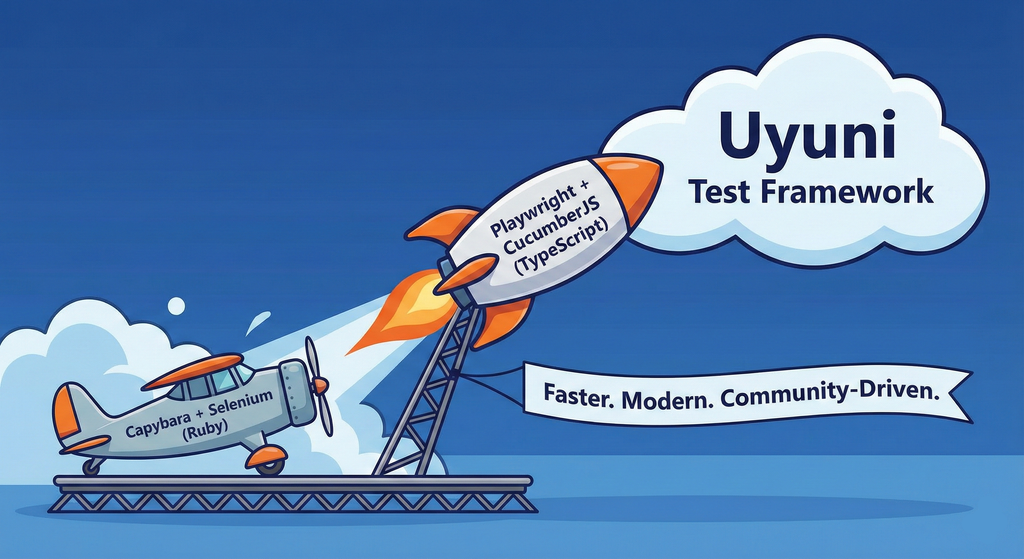
This project aims to migrate the existing Uyuni Test Framework from Selenium to Playwright. The move will improve the stability, speed, and maintainability of our end-to-end tests by leveraging Playwright's modern features. We'll be rewriting the current Selenium code in Ruby to Playwright code in TypeScript, which includes updating the test framework runner, step definitions, and configurations. This is also necessary because we're moving from Cucumber Ruby to CucumberJS.
If you're still curious about the AI in the title, it was just a way to grab your attention. Thanks for your understanding.
Nah, let's be honest  AI helped a lot to vibe code a good part of the Ruby methods of the Test framework, moving them to Typescript, along with the migration from Capybara to Playwright. I've been using "Cline" as plugin for WebStorm IDE, using Gemini API behind it.
Goals
- Migrate Core tests including Onboarding of clients
- Improve test reliabillity: Measure and confirm a significant reduction of flakiness.
- Implement a robust framework: Establish a well-structured and reusable Playwright test framework using the CucumberJS
Resources
- Existing Uyuni Test Framework (Cucumber Ruby + Capybara + Selenium)
- My Template for CucumberJS + Playwright in TypeScript
- Started Hackweek Project