
 mgr-ansible-ssh - Intelligent, Lightweight CLI for Distributed Remote Execution
an invention by deve5h
Description
By the end of Hack Week, the target will be to deliver a minimal functional version 1 (MVP) of a custom command-line tool named mgr-ansible-ssh (a unified wrapper for BOTH ad-hoc shell & playbooks) that allows operators to:
- Execute arbitrary shell commands on thousand of remote machines simultaneously using Ansible Runner with artifacts saved locally.
- Pass runtime options such as inventory file, remote command string/ playbook execution, parallel forks, limits, dry-run mode, or no-std-ansible-output.
- Leverage existing SSH trust relationships without additional setup.
- Provide a clean, intuitive CLI interface with --help for ease of use. It should provide consistent UX & CI-friendly interface.
- Establish a foundation that can later be extended with advanced features such as logging, grouping, interactive shell mode, safe-command checks, and parallel execution tuning.
The MVP should enable day-to-day operations to efficiently target thousands of machines with a single, consistent interface.
Goals
Primary Goals (MVP):
Build a functional CLI tool (mgr-ansible-ssh) capable of executing shell commands on multiple remote hosts using Ansible Runner. Test the tool across a large distributed environment (1000+ machines) to validate its performance and reliability.
Looking forward to significantly reducing the zypper deployment time across all 351 RMT VM servers in our MLM cluster by eliminating the dependency on the taskomatic service, bringing execution down to a fraction of the current duration. The tool should also support multiple runtime flags, such as:
mgr-ansible-ssh: Remote command execution wrapper using Ansible Runner

Usage: mgr-ansible-ssh [--help] [--version] [--inventory INVENTORY]
                   [--run RUN] [--playbook PLAYBOOK] [--limit LIMIT]
                   [--forks FORKS] [--dry-run] [--no-ansible-output]

Required Arguments
--inventory, -i      Path to Ansible inventory file to use

Any One of the Arguments Is Required
--run, -r            Execute the specified shell command on target hosts
--playbook, -p       Execute the specified Ansible playbook on target hosts

Optional Arguments
--help, -h           Show the help message and exit
--version, -v        Show the version and exit
--limit, -l          Limit execution to specific hosts or groups
--forks, -f          Number of parallel Ansible forks
--dry-run            Run in Ansible check mode (requires -p or --playbook)
--no-ansible-output  Suppress Ansible stdout output
Secondary/Stretched Goals (if time permits):
- Add pretty output formatting (success/failure summary per host).
- Implement basic logging of executed commands and results.
- Introduce safety checks for risky commands (shutdown, rm -rf, etc.).
- Package the tool so it can be installed with pip or stored internally.
Resources
Collaboration is welcome from anyone interested in CLI tooling, automation, or distributed systems. Skills that would be particularly valuable include:
- Python especially around CLI dev (argparse, click, rich)
- Knowledge of Ansible /Ansible Runner
- Experience with large-scale cloud infrastructure
- Linux system administration & remote execution patterns
- (Optional) UX for command-line tools (help formatting, ergonomics)
- (Optional) Packaging skills (pip packaging)
Browse the codebase repository here: https://github.com/deve5h/mgr-ansible-ssh

This project is part of:
Hack Week 25
Activity
Comments
-

about 2 months ago by deve5h | Reply
Version 1.0.0 was already functionally complete with clean code. Excited because today, I achieved about 50% of my secondary/stretched goals as well, so I’m tagging this update as v1.0.1. I will update the README.md with additional details on usage and access instructions.
-
about 2 months ago by deve5h | Reply
While there are many but one of the most impactful improvements this tool brings is its performance. Previously, using the mgr-salt-ssh CLI, it often took 2–3 minutes or more to iterate over all 351 RMT servers in our MLM cluster for zypper deployments or get/list API operations. With the new mgr-ansible-ssh CLI developed during Hack Week, this time has been reduced to under 20 seconds, making routine operations dramatically faster and more efficient.
Similar Projects
Multimachine on-prem test with opentofu, ansible and Robot Framework by apappas
Description
A long time ago I explored using the Robot Framework for testing. A big deficiency over our openQA setup is that bringing up and configuring the connection to a test machine is out of scope.
Nowadays we have a way¹ to deploy SUTs outside openqa, but we only use if for cloud tests in conjuction with openqa. Using knowledge gained from that project I am going to try to create a test scenario that replicates an openqa test but this time including the deployment and setup of the SUT.
Goals
Create a simple multimachine test scenario with the support server and SUT all created by the robot framework.
Resources
- https://github.com/SUSE/qe-sap-deployment
- terraform-libvirt-provider
Ansible to Salt integration by vizhestkov
Description
We already have initial integration of Ansible in Salt with the possibility to run playbooks from the salt-master on the salt-minion used as an Ansible Control node.
In this project I want to check if it possible to make Ansible working on the transport of Salt. Basically run playbooks with Ansible through existing established Salt (ZeroMQ) transport and not using ssh at all.
It could be a good solution for the end users to reuse Ansible playbooks or run Ansible modules they got used to with no effort of complex configuration with existing Salt (or Uyuni/SUSE Multi Linux Manager) infrastructure.
Goals
- [v] Prepare the testing environment with Salt and Ansible installed
- [v] Discover Ansible codebase to figure out possible ways of integration
- [v] Create Salt/Uyuni inventory module
- [v] Make basic modules to work with no using separate ssh connection, but reusing existing Salt connection
- [v] Test some most basic playbooks
Resources
Bring to Cockpit + System Roles capabilities from YAST by miguelpc
Bring to Cockpit + System Roles features from YAST
Cockpit and System Roles have been added to SLES 16 There are several capabilities in YAST that are not yet present in Cockpit and System Roles We will follow the principle of "automate first, UI later" being System Roles the automation component and Cockpit the UI one.
Goals
The idea is to implement service configuration in System Roles and then add an UI to manage these in Cockpit. For some capabilities it will be required to have an specific Cockpit Module as they will interact with a reasource already configured.
Resources
A plan on capabilities missing and suggested implementation is available here: https://docs.google.com/spreadsheets/d/1ZhX-Ip9MKJNeKSYV3bSZG4Qc5giuY7XSV0U61Ecu9lo/edit
Linux System Roles:
- https://linux-system-roles.github.io/
- https://build.opensuse.org/package/show/openSUSE:Factory/ansible-linux-system-roles Package on sle16 ansible-linux-system-roles
First meeting Hackweek catchup
- Monday, December 1 · 11:00 – 12:00
- Time zone: Europe/Madrid
- Google Meet link: https://meet.google.com/rrc-kqch-hca
Dynamic Ansible Inventory for Orthos 2 by SchoolGuy
Description
Ansible is used in the context of Orthos 2. To enhance the parallel execution of Ansible playbooks for Orthos 2 hosts (machine scanning), the Cobbler dynamic Inventory plugin should be evaluated.
Goals
Improve the parallelization of machine scanning in Orthos 2.
Resources
- https://github.com/openSUSE/orthos2/
- https://docs.ansible.com/projects/ansible/latest/inventoryguide/introdynamic_inventory.html#inventory-script-example-cobbler
Ansible to Salt integration by vizhestkov
Description
We already have initial integration of Ansible in Salt with the possibility to run playbooks from the salt-master on the salt-minion used as an Ansible Control node.
In this project I want to check if it possible to make Ansible working on the transport of Salt. Basically run playbooks with Ansible through existing established Salt (ZeroMQ) transport and not using ssh at all.
It could be a good solution for the end users to reuse Ansible playbooks or run Ansible modules they got used to with no effort of complex configuration with existing Salt (or Uyuni/SUSE Multi Linux Manager) infrastructure.
Goals
- [v] Prepare the testing environment with Salt and Ansible installed
- [v] Discover Ansible codebase to figure out possible ways of integration
- [v] Create Salt/Uyuni inventory module
- [v] Make basic modules to work with no using separate ssh connection, but reusing existing Salt connection
- [v] Test some most basic playbooks
Resources
Move Uyuni Test Framework from Selenium to Playwright + AI by oscar-barrios
Description
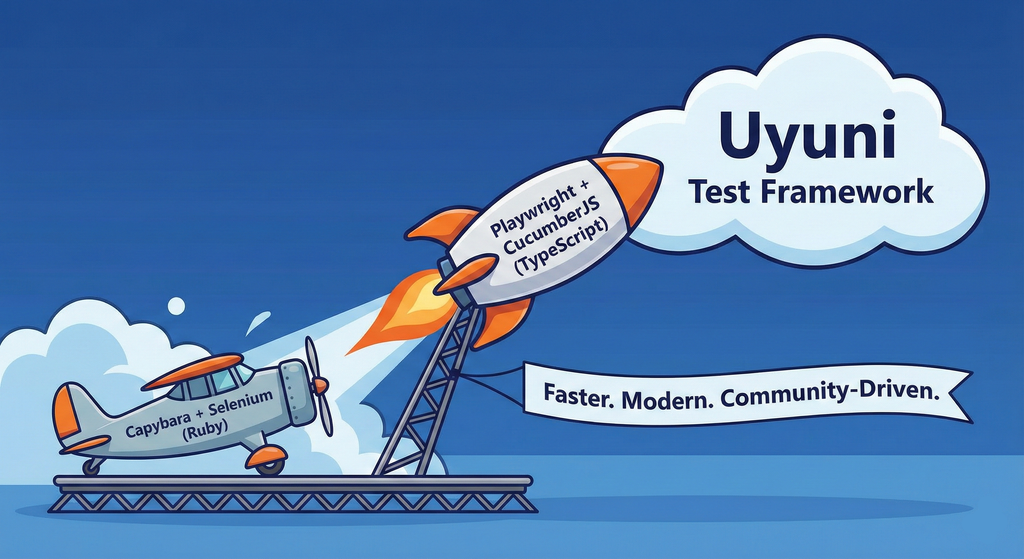
This project aims to migrate the existing Uyuni Test Framework from Selenium to Playwright. The move will improve the stability, speed, and maintainability of our end-to-end tests by leveraging Playwright's modern features. We'll be rewriting the current Selenium code in Ruby to Playwright code in TypeScript, which includes updating the test framework runner, step definitions, and configurations. This is also necessary because we're moving from Cucumber Ruby to CucumberJS.
If you're still curious about the AI in the title, it was just a way to grab your attention. Thanks for your understanding.
Nah, let's be honest  AI helped a lot to vibe code a good part of the Ruby methods of the Test framework, moving them to Typescript, along with the migration from Capybara to Playwright. I've been using "Cline" as plugin for WebStorm IDE, using Gemini API behind it.
Goals
- Migrate Core tests including Onboarding of clients
- Improve test reliabillity: Measure and confirm a significant reduction of flakiness.
- Implement a robust framework: Establish a well-structured and reusable Playwright test framework using the CucumberJS
Resources
- Existing Uyuni Test Framework (Cucumber Ruby + Capybara + Selenium)
- My Template for CucumberJS + Playwright in TypeScript
- Started Hackweek Project
Enable more features in mcp-server-uyuni by j_renner
Description
I would like to contribute to mcp-server-uyuni, the MCP server for Uyuni / Multi-Linux Manager) exposing additional features as tools. There is lots of relevant features to be found throughout the API, for example:
- System operations and infos
- System groups
- Maintenance windows
- Ansible
- Reporting
- ...
At the end of the week I managed to enable basic system group operations:
- List all system groups visible to the user
- Create new system groups
- List systems assigned to a group
- Add and remove systems from groups
Goals
- Set up test environment locally with the MCP server and client + a recent MLM server [DONE]
- Identify features and use cases offering a benefit with limited effort required for enablement [DONE]
- Create a PR to the repo [DONE]
Resources
Uyuni read-only replica by cbosdonnat
Description
For now, there is no possible HA setup for Uyuni. The idea is to explore setting up a read-only shadow instance of an Uyuni and make it as useful as possible.
Possible things to look at:
- live sync of the database, probably using the WAL. Some of the tables may have to be skipped or some features disabled on the RO instance (taskomatic, PXT sessions…)
- Can we use a load balancer that routes read-only queries to either instance and the other to the RW one? For example, packages or PXE data can be served by both, the API GET requests too. The rest would be RW.
Goals
- Prepare a document explaining how to do it.
- PR with the needed code changes to support it
Flaky Tests AI Finder for Uyuni and MLM Test Suites by oscar-barrios
Description
Our current Grafana dashboards provide a great overview of test suite health, including a panel for "Top failed tests." However, identifying which of these failures are due to legitimate bugs versus intermittent "flaky tests" is a manual, time-consuming process. These flaky tests erode trust in our test suites and slow down development.
This project aims to build a simple but powerful Python script that automates flaky test detection. The script will directly query our Prometheus instance for the historical data of each failed test, using the jenkins_build_test_case_failure_age metric. It will then format this data and send it to the Gemini API with a carefully crafted prompt, asking it to identify which tests show a flaky pattern.
The final output will be a clean JSON list of the most probable flaky tests, which can then be used to populate a new "Top Flaky Tests" panel in our existing Grafana test suite dashboard.
Goals
By the end of Hack Week, we aim to have a single, working Python script that:
- Connects to Prometheus and executes a query to fetch detailed test failure history.
- Processes the raw data into a format suitable for the Gemini API.
- Successfully calls the Gemini API with the data and a clear prompt.
- Parses the AI's response to extract a simple list of flaky tests.
- Saves the list to a JSON file that can be displayed in Grafana.
- New panel in our Dashboard listing the Flaky tests
Resources
- Jenkins Prometheus Exporter: https://github.com/uyuni-project/jenkins-exporter/
- Data Source: Our internal Prometheus server.
- Key Metric:
jenkins_build_test_case_failure_age{jobname, buildid, suite, case, status, failedsince}. - Existing Query for Reference:
count by (suite) (max_over_time(jenkins_build_test_case_failure_age{status=~"FAILED|REGRESSION", jobname="$jobname"}[$__range])). - AI Model: The Google Gemini API.
- Example about how to interact with Gemini API: https://github.com/srbarrios/FailTale/
- Visualization: Our internal Grafana Dashboard.
- Internal IaC: https://gitlab.suse.de/galaxy/infrastructure/-/tree/master/srv/salt/monitoring
Outcome
- Jenkins Flaky Test Detector: https://github.com/srbarrios/jenkins-flaky-tests-detector and its container
- IaC on MLM Team: https://gitlab.suse.de/galaxy/infrastructure/-/tree/master/srv/salt/monitoring/jenkinsflakytestsdetector?reftype=heads, https://gitlab.suse.de/galaxy/infrastructure/-/blob/master/srv/salt/monitoring/grafana/dashboards/flaky-tests.json?ref_type=heads, and others.
- Grafana Dashboard: https://grafana.mgr.suse.de/d/flaky-tests/flaky-tests-detection @ @ text
openQA log viewer by mpagot
Description
*** Warning: Are You at Risk for VOMIT? ***
Do you find yourself staring at a screen, your eyes glossing over as thousands of lines of text scroll by? Do you feel a wave of text-based nausea when someone asks you to "just check the logs"?
You may be suffering from VOMIT (Verbose Output Mental Irritation Toxicity).
This dangerous, work-induced ailment is triggered by exposure to an overwhelming quantity of log data, especially from parallel systems. The human brain, not designed to mentally process 12 simultaneous autoinst-log.txt files, enters a state of toxic shock. It rejects the "Verbose Output," making it impossible to find the one critical error line buried in a 50,000-line sea of "INFO: doing a thing."
Before you're forced to rm -rf /var/log in a fit of desperation, we present the digital antacid.
No panic: we have The openQA Log Visualizer
This is the UI antidote for handling toxic log environments. It bravely dives into the chaotic, multi-machine mess of your openQA test runs, finds all the related, verbose logs, and force-feeds them into a parser.

Goals
Work on the existing POC openqa-log-visualizer about few specific tasks:
- add support for more type of logs
- extend the configuration file syntax beyond the actual one
- work on log parsing performance
Find some beta-tester and collect feedback and ideas about features
If time allow for it evaluate other UI frameworks and solutions (something more simple to distribute and run, maybe more low level to gain in performance).
Resources
Improve/rework household chore tracker `chorazon` by gniebler
Description
I wrote a household chore tracker named chorazon, which is meant to be deployed as a web application in the household's local network.
It features the ability to set up different (so far only weekly) schedules per task and per person, where tasks may span several days.
There are "tokens", which can be collected by users. Tasks can (and usually will) have rewards configured where they yield a certain amount of tokens. The idea is that they can later be redeemed for (surprise) gifts, but this is not implemented yet. (So right now one needs to edit the DB manually to subtract tokens when they're redeemed.)
Days are not rolled over automatically, to allow for task completion control.
We used it in my household for several months, with mixed success. There are many limitations in the system that would warrant a revisit.
It's written using the Pyramid Python framework with URL traversal, ZODB as the data store and Web Components for the frontend.
Goals
- Add admin screens for users, tasks and schedules
- Add models, pages etc. to allow redeeming tokens for gifts/surprises
- …?
Resources
tbd (Gitlab repo)
Improve chore and screen time doc generator script `wochenplaner` by gniebler
Description
I wrote a little Python script to generate PDF docs, which can be used to track daily chore completion and screen time usage for several people, with one page per person/week.
I named this script wochenplaner and have been using it for a few months now.
It needs some improvements and adjustments in how the screen time should be tracked and how chores are displayed.
Goals
- Fix chore field separation lines
- Change screen time tracking logic from "global" (week-long) to daily subtraction and weekly addition of remainders (more intuitive than current "weekly time budget method)
- Add logic to fill in chore fields/lines, ideally with pictures, falling back to text.
Resources
tbd (Gitlab repo)