
The Agama project is a multi-language Linux installer that leverages the distinct strengths of several key technologies:
- Rust: Used for the back-end services and the core HTTP API, providing performance and safety.
- TypeScript (React/PatternFly): Powers the modern web user interface (UI), ensuring a consistent and responsive user experience.
- Ruby: Integrates existing, robust YaST libraries (e.g.,
yast-storage-ng) to reuse established functionality.
The Problem: Testing Overhead
Developing and maintaining code across these three languages requires a significant, tedious effort in writing, reviewing, and updating unit tests for each component. This high cost of testing is a drain on developer resources and can slow down the project's evolution.
The Solution: AI-Driven Automation
This project aims to eliminate the manual overhead of unit testing by exploring and integrating AI-driven code generation tools. We will investigate how AI can:
- Automatically generate new unit tests as code is developed.
- Intelligently correct and update existing unit tests when the application code changes.
By automating this crucial but monotonous task, we can free developers to focus on feature implementation and significantly improve the speed and maintainability of the Agama codebase.
Goals
- Proof of Concept: Successfully integrate and demonstrate an authorized AI tool (e.g.,
gemini-cli) to automatically generate unit tests. - Workflow Integration: Define and document a new unit test automation workflow that seamlessly integrates the selected AI tool into the existing Agama development pipeline.
- Knowledge Sharing: Establish a set of best practices for using AI in code generation, sharing the learned expertise with the broader team.
Contribution & Resources
We are seeking contributors interested in AI-powered development and improving developer efficiency. Whether you have previous experience with code generation tools or are eager to learn, your participation is highly valuable.
If you want to dive deep into AI for software quality, please reach out and join the effort!
- Authorized AI Tools: Tools supported by SUSE (e.g.,
gemini-cli) - Focus Areas: Rust, TypeScript, and Ruby components within the Agama project.
Interesting Links


Looking for hackers with the skills:
This project is part of:
Hack Week 25
Activity
Comments
-

2 months ago by ancorgs | Reply
Time for some reporting.
Both @joseivanlopez and me have been doing experiments with AI and the unit tests of Agama's web interface (Javascript + React).
Probably @joseivanlopez will write in more detail about his experience. But this report is about some common experiments we both did using different AI solutions. Let's start with some context.
There is a branch
api-v2in the Agama repository that dramatically changes how the web UI interacts with the backend. The code already works but the javascript unit tests are not adapted accordingly yet. The main idea was to simplify the process of adapting those unit tests with the help of AI.@joseivanlopez did it using the company-provided Gemini, this pull request shows some partial results. Gemini was able to adapt several tests. Although it would be more accurate to say that it rewrote the tests. It feels like it ignored the current unit tests and wrote another ones from scratch. Those generated unit tests are indeed useful, they cover many scenarios and look quite sane, although some of them are not very semantic.
Gemini was not blazing fast (it took 10+ minutes to adapt a single test) and sometimes it struggled to find its way (felt like a pure trial and error process). But the outcome is certainly useful. The experiment can be labeled as a relative success.
But all that applies only to the
gemini-promodel. Sadly it looks like the SUSE-provided license provides a very limited number of tokens to be spend ongemini-pro. After spending those in adapting 4 or 5 unit tests, everything fall backs to the uselessgemini-flashmodel. That means only a few tests per developer can be adapted every day.In parallel I ran a very similar experiment but using Claude.ai, an AI solution that is not endorsed by SUSE, so we cannot use it for production code. I used the completely free version that only provides access to a web console so I had to upload many source-code files manually) and that only allows a few queries to their intermediate model (using it for longer or accessing the advanced model would have implied a fee).
Even with all those limitations, I feel the experiment was clearly more successful than the Gemini one. You can see some partial results in this pull request.
When asked to adapt existing unit tests, Claude really did all the necessary changes to get them running again, but without rewriting everything. Sometimes it added a missing scenario, but it respected the approach of the existing tests and scenarios. When asked to write a new test from scratch, it apparently produced a quite comprehensive and semantic unit test. Claude really felt like a tool that could potentially save a lot of manual work in a reliable way.
Compared to Gemini, Claude was way faster and straight to the point. It was able to produce good results in seconds without really having access to my development environment. Gemini seemed to work a bit more by trial and error, with several iterations of adjusting things to then run the tests and adjust things again.
-

2 months ago by joseivanlopez | Reply
AI Experiment Report: Gemini-CLI for Agama Unit Test Automation
This report summarizes the results of an experiment using the
gemini-clitool (powered by the Gemini Pro model) to automatically update outdated React unit tests in the Agama UI codebase.Scenario & Goal
The Agama UI code was adapted to use a new HTTP API, leaving existing unit tests broken and outdated. The goal was to use
gemini-clito automatically fix and adapt these broken React unit tests.- Tool:
gemini-cli - Model: Gemini Pro
- Example Prompt:
"Fix tests from [@src](/users/src)/components/storage/PartitionPage.test.tsx"
Key Results and Observations
Success and Capability
- High Adaptation Rate: The AI demonstrated its capability to adapt a significant number of existing React tests to the new API structure and component logic. (See results: https://github.com/agama-project/agama/pull/2927)
- Actionable Output: The output was often directly usable, requiring minimal manual cleanup or correction.
Performance and Efficiency Challenges
- Speed/Time: The process was very slow. Adapting a single test suite typically took around 15 minutes. This time investment sometimes approaches or exceeds the time a developer might take to fix the tests manually, impacting developer workflow adoption.
- Reliability: The process was unstable and sometimes stalled completely. This requires developer intervention (canceling the request and resubmitting) to complete the task.
- Strategy: The model appeared to operate in a "try/error" mode (iterative guessing based on error messages) rather than demonstrating a deep comprehension of the code. This trial-and-error approach contributes directly to the poor performance and high latency observed.
Conclusion
Based on the experiment's results, while the Gemini Pro model currently exhibits significant performance issues (slowness and stalling) that make large-scale, automated fixes impractical, it demonstrates core capabilities that point to its potential value in specific scenarios within the Agama project.
Creating Tests From Scratch
Gemini is highly useful for generating the initial boilerplate and structure for new unit tests. A developer shouldn't spend time setting up mocks, imports, and basic assertion structures for a new component. The AI can quickly create a functional test file based solely on the component's public interface. This dramatically lowers the barrier to writing new tests and speeds up the initial development phase, turning test creation from a chore into a rapid scaffolding process.
Progressive and Incremental Adaptation
The AI is valuable for progressive adaptations as code evolves. Instead of waiting for a massive refactor that breaks hundreds of tests (creating a daunting backlog), a developer should use the AI immediately after making small, targeted changes to a component's internal logic, API, or prop structure. This strategy ensures unit tests are fixed incrementally, preventing the large backlog of broken tests that often results from major refactoring efforts.
Resource Constraint: Token Limits
A critical limiting factor impacting the viability of extensive AI usage is the limited token quota provided by SUSE for the Gemini Pro model. Due to the model's observed "try/error" strategy and the resulting high number of queries needed to complete a task, the tokens are consumed rapidly, typically becoming exhausted after only about two hours of intensive usage.
This severe constraint means that even if the performance were better, continuous, large-scale automation is not possible under the current resource allocation.
In summary, given the constraints of high latency and limited token availability, we must pivot our strategy. We should shift the focus from using the AI as a brute-force bug-fixing tool to using it as a scaffolding and incremental maintenance assistant.
- Tool:
-
-
2 months ago by joseivanlopez | Reply
I also experimented with other command-line interface tools, specifically cline. The tool performed exceptionally well, offering the key advantage of enabling concurrent execution of different AI models. This allows for testing free models available through platforms like Ollama (e.g., gpt-oss or deepseek-r1). I utilized it successfully with the cloude-soonet model. However, the severe limitations of the free usage tier ultimately prevented me from conducting any meaningful or conclusive tests.
-
2 months ago by ancorgs | Reply
I ran an extra experiment. Not about unit tests but about code refactoring. TBH, I didn't have time yet to analyze the result. But some of the unit tests are still green (not all of them). See this pull request
-

Similar Projects
Bring up Agama based tests for openSUSE Tumbleweed by szarate
Description
Agama has been around for some time already, and we have some tests for it on Tumbleweed however they are only on the development job group and are too few to be helpful in assessing the quality of a build
This project aims at enabling and creating new testsuites for the agama flavor, using the already existsing DVD and NET flavors as starting points
Goals
- Introduce tests based on the Agama flavor in the main Tumbleweed job group
- Create Tumbleweed yaml schedules for agama installer and its own jsonette profile (The one being used now are reused from leap)
- Fan out tests that have long runtimes (i.e tackle this ticket)
- Reduce redundancy in tests
Resources
Build a terminal user-interface (TUI) for Agama by IGonzalezSosa
Description
Officially, Agama offers two different user interfaces. On the one hand, we have the web-based interface, which is the one you see when you run the installation media. On the other hand, we have a command-line interface. In both cases, you can use them using a remote system, either using a browser or the agama CLI.
We would expect most of the cases to be covered by this approach. However, if you cannot use the web-based interface and, for some reason, you cannot access the system through the network, your only option is to use the CLI. This interface offers a mechanism to modify Agama's configuration using an editor (vim, by default), but perhaps you might want to have a more user-friendly way.
Goals
The main goal of this project is to built a minimal terminal user-interface for Agama. This interface will allow the user to install the system providing just a few settings (selecting a product, a storage device and a user password). Then it should report the installation progress.
Resources
- https://agama-project.github.io/
- https://ratatui.rs/
Conclusions
We have summarized our conclusions in a pull request. It includes screenshots ;-) We did not implement all the features we wanted, but we learn a lot during the process. We know that, if needed, we could write a TUI for Agama and we have an idea about how to build it. Good enough.
Self-Scaling LLM Infrastructure Powered by Rancher by ademicev0
Self-Scaling LLM Infrastructure Powered by Rancher

Description
The Problem
Running LLMs can get expensive and complex pretty quickly.
Today there are typically two choices:
- Use cloud APIs like OpenAI or Anthropic. Easy to start with, but costs add up at scale.
- Self-host everything - set up Kubernetes, figure out GPU scheduling, handle scaling, manage model serving... it's a lot of work.
What if there was a middle ground?
What if infrastructure scaled itself instead of making you scale it?
Can we use existing Rancher capabilities like CAPI, autoscaling, and GitOps to make this simpler instead of building everything from scratch?
Project Repository: github.com/alexander-demicev/llmserverless
What This Project Does
A key feature is hybrid deployment: requests can be routed based on complexity or privacy needs. Simple or low-sensitivity queries can use public APIs (like OpenAI), while complex or private requests are handled in-house on local infrastructure. This flexibility allows balancing cost, privacy, and performance - using cloud for routine tasks and on-premises resources for sensitive or demanding workloads.
A complete, self-scaling LLM infrastructure that:
- Scales to zero when idle (no idle costs)
- Scales up automatically when requests come in
- Adds more nodes when needed, removes them when demand drops
- Runs on any infrastructure - laptop, bare metal, or cloud
Think of it as "serverless for LLMs" - focus on building, the infrastructure handles itself.
How It Works
A combination of open source tools working together:
Flow:
- Users interact with OpenWebUI (chat interface)
- Requests go to LiteLLM Gateway
- LiteLLM routes requests to:
- Ollama (Knative) for local model inference (auto-scales pods)
- Or cloud APIs for fallback
Docs Navigator MCP: SUSE Edition by mackenzie.techdocs

Description
Docs Navigator MCP: SUSE Edition is an AI-powered documentation navigator that makes finding information across SUSE, Rancher, K3s, and RKE2 documentation effortless. Built as a Model Context Protocol (MCP) server, it enables semantic search, intelligent Q&A, and documentation summarization using 100% open-source AI models (no API keys required!). The project also allows you to bring your own keys from Anthropic and Open AI for parallel processing.
Goals
- [ X ] Build functional MCP server with documentation tools
- [ X ] Implement semantic search with vector embeddings
- [ X ] Create user-friendly web interface
- [ X ] Optimize indexing performance (parallel processing)
- [ X ] Add SUSE branding and polish UX
- [ X ] Stretch Goal: Add more documentation sources
- [ X ] Stretch Goal: Implement document change detection for auto-updates
Coming Soon!
- Community Feedback: Test with real users and gather improvement suggestions
Resources
- Repository: Docs Navigator MCP: SUSE Edition GitHub
- UI Demo: Live UI Demo of Docs Navigator MCP: SUSE Edition
MCP Trace Suite by r1chard-lyu
Description
This project plans to create an MCP Trace Suite, a system that consolidates commonly used Linux debugging tools such as bpftrace, perf, and ftrace.
The suite is implemented as an MCP Server. This architecture allows an AI agent to leverage the server to diagnose Linux issues and perform targeted system debugging by remotely executing and retrieving tracing data from these powerful tools.
- Repo: https://github.com/r1chard-lyu/systracesuite
- Demo: Slides
Goals
Build an MCP Server that can integrate various Linux debugging and tracing tools, including bpftrace, perf, ftrace, strace, and others, with support for future expansion of additional tools.
Perform testing by intentionally creating bugs or issues that impact system performance, allowing an AI agent to analyze the root cause and identify the underlying problem.
Resources
- Gemini CLI: https://geminicli.com/
- eBPF: https://ebpf.io/
- bpftrace: https://github.com/bpftrace/bpftrace/
- perf: https://perfwiki.github.io/main/
- ftrace: https://github.com/r1chard-lyu/tracium/
The Agentic Rancher Experiment: Do Androids Dream of Electric Cattle? by moio
Rancher is a beast of a codebase. Let's investigate if the new 2025 generation of GitHub Autonomous Coding Agents and Copilot Workspaces can actually tame it. 
The Plan
Create a sandbox GitHub Organization, clone in key Rancher repositories, and let the AI loose to see if it can handle real-world enterprise OSS maintenance - or if it just hallucinates new breeds of Kubernetes resources!
Specifically, throw "Agentic Coders" some typical tasks in a complex, long-lived open-source project, such as:
❥ The Grunt Work: generate missing GoDocs, unit tests, and refactorings. Rebase PRs.
❥ The Complex Stuff: fix actual (historical) bugs and feature requests to see if they can traverse the complexity without (too much) human hand-holding.
❥ Hunting Down Gaps: find areas lacking in docs, areas of improvement in code, dependency bumps, and so on.
If time allows, also experiment with Model Context Protocol (MCP) to give agents context on our specific build pipelines and CI/CD logs.
Why?
We know AI can write "Hello World." and also moderately complex programs from a green field. But can it rebase a 3-month-old PR with conflicts in rancher/rancher? I want to find the breaking point of current AI agents to determine if and how they can help us to reduce our technical debt, work faster and better. At the same time, find out about pitfalls and shortcomings.
The CONCLUSION!!!
A  State of the Union document was compiled to summarize lessons learned this week. For more gory details, just read on the diary below!
Song Search with CLAP by gcolangiuli
Description
Contrastive Language-Audio Pretraining (CLAP) is an open-source library that enables the training of a neural network on both Audio and Text descriptions, making it possible to search for Audio using a Text input. Several pre-trained models for song search are already available on huggingface

Goals
Evaluate how CLAP can be used for song searching and determine which types of queries yield the best results by developing a Minimum Viable Product (MVP) in Python. Based on the results of this MVP, future steps could include:
- Music Tagging;
- Free text search;
- Integration with an LLM (for example, with MCP or the OpenAI API) for music suggestions based on your own library.
The code for this project will be entirely written using AI to better explore and demonstrate AI capabilities.
Result
In this MVP we implemented:
- Async Song Analysis with Clap model
- Free Text Search of the songs
- Similar song search based on vector representation
- Containerised version with web interface
We also documented what went well and what can be improved in the use of AI.
You can have a look at the result here:
Future implementation can be related to performance improvement and stability of the analysis.
References
- CLAP: The main model being researched;
- huggingface: Pre-trained models for CLAP;
- Free Music Archive: Creative Commons songs that can be used for testing;
Learn a bit of embedded programming with Rust in a micro:bit v2 by aplanas
Description
micro:bit is a small single board computer with a ARM Cortex-M4 with the FPU extension, with a very constrain amount of memory and a bunch of sensors and leds.
The board is very well documented, with schematics and code for all the features available, so is an excellent platform for learning embedded programming.
Rust is a system programming language that can generate ARM code, and has crates (libraries) to access the micro:bit hardware. There is plenty documentation about how to make small programs that will run in the micro:bit.
Goals
Start learning about embedded programming in Rust, and maybe make some code to the small KS4036F Robot car from keyestudio.
Resources
- micro:bit
- KS4036F
- microbit technical documentation
- schematic
- impl Rust for micro:bit
- Rust Embedded MB2 Discovery Book
- nRF-HAL
- nRF Microbit-v2 BSP (blocking)
- knurling-rs
- C++ microbit codal
- microbit-bsp for Embassy
- Embassy
Diary
Day 1
- Start reading https://mb2.implrust.com/abstraction-layers.html
- Prepare the dev environment (cross compiler, probe-rs)
- Flash first code in the board (blinky led)
- Checking differences between BSP and HAL
- Compile and install a more complex example, with stack protection
- Reading about the simplicity of xtask, as alias for workspace execution
- Reading the CPP code of the official micro:bit libraries. They have a font!
Day 2
- There are multiple BSP for the microbit. One is using async code for non-blocking operations
- Download and study a bit the API for microbit-v2, the nRF official crate
- Take a look of the KS4036F programming, seems that the communication is multiplexed via I2C
- The motor speed can be selected via PWM (pulse with modulation): power it longer (high frequency), and it will increase the speed
- Scrolling some text
- Debug by printing! defmt is a crate that can be used with probe-rs to emit logs
- Start reading input from the board: buttons
- The logo can be touched and detected as a floating point value
Day 3
- A bit confused how to read the float value from a pin
Mail client with mailing list workflow support in Rust by acervesato
Description
To create a mail user interface using Rust programming language, supporting mailing list patches workflow. I know, aerc is already there, but I would like to create something simpler, without integrated protocols. Just a plain user interface that is using some crates to read and create emails which are fetched and sent via external tools.
I already know Rust, but not the async support, which is needed in this case in order to handle events inside the mail folder and to send notifications.
Goals
- simple user interface in the style of
aerc, with some vim keybindings for motions and search - automatic run of external tools (like
mbsync) for checking emails - automatic run commands for notifications
- apply patch set from ML
- tree-sitter support with styles
Resources
- ratatui: user interface (https://ratatui.rs/)
- notify: folder watcher (https://docs.rs/notify/latest/notify/)
- mail-parser: parser for emails (https://crates.io/crates/mail-parser)
- mail-builder: create emails in proper format (https://docs.rs/mail-builder/latest/mail_builder/)
- gitpatch: ML support (https://crates.io/crates/gitpatch)
- tree-sitter-rust: support for mail format (https://crates.io/crates/tree-sitter)
OpenPlatform Self-Service Portal by tmuntan1
Description
In SUSE IT, we developed an internal developer platform for our engineers using SUSE technologies such as RKE2, SUSE Virtualization, and Rancher. While it works well for our existing users, the onboarding process could be better.
To improve our customer experience, I would like to build a self-service portal to make it easy for people to accomplish common actions. To get started, I would have the portal create Jira SD tickets for our customers to have better information in our tickets, but eventually I want to add automation to reduce our workload.
Goals
- Build a frontend website (Angular) that helps customers create Jira SD tickets.
- Build a backend (Rust with Axum) for the backend, which would do all the hard work for the frontend.
Resources (SUSE VPN only)
- development site: https://ui-dev.openplatform.suse.com/login?returnUrl=%2Fopenplatform%2Fforms
- https://gitlab.suse.de/itpe/core/open-platform/op-portal/backend
- https://gitlab.suse.de/itpe/core/open-platform/op-portal/frontend
Arcticwolf - A rust based user space NFS server by vcheng
Description
Rust has similar performance to C. Also, have a better async IO module and high integration with io_uring. This project aims to develop a user-space NFS server based on Rust.
Goals
- Get an understanding of how cargo works
- Get an understanding of how XDR was generated with xdrgen
- Create the RUST-based NFS server that supports basic operations like mount/readdir/read/write
Result (2025 Hackweek)
- In progress PR: https://github.com/Vicente-Cheng/arcticwolf/pull/1
Resources
https://github.com/Vicente-Cheng/arcticwolf
Exploring Rust's potential: from basics to security by sferracci
Description
This project aims to conduct a focused investigation and practical application of the Rust programming language, with a specific emphasis on its security model. A key component will be identifying and understanding the most common vulnerabilities that can be found in Rust code.
Goals
Achieve a beginner/intermediate level of proficiency in writing Rust code. This will be measured by trying to solve LeetCode problems focusing on common data structures and algorithms. Study Rust vulnerabilities and learning best practices to avoid them.
Resources
Rust book: https://doc.rust-lang.org/book/
Move Uyuni Test Framework from Selenium to Playwright + AI by oscar-barrios
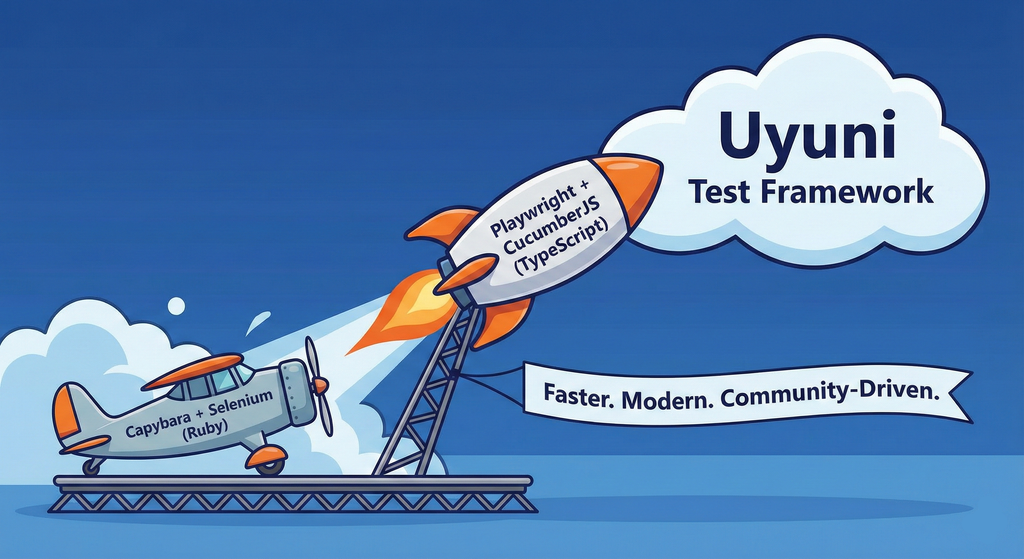
Description
This project aims to migrate the existing Uyuni Test Framework from Selenium to Playwright. The move will improve the stability, speed, and maintainability of our end-to-end tests by leveraging Playwright's modern features. We'll be rewriting the current Selenium code in Ruby to Playwright code in TypeScript, which includes updating the test framework runner, step definitions, and configurations. This is also necessary because we're moving from Cucumber Ruby to CucumberJS.
If you're still curious about the AI in the title, it was just a way to grab your attention. Thanks for your understanding.
Nah, let's be honest  AI helped a lot to vibe code a good part of the Ruby methods of the Test framework, moving them to Typescript, along with the migration from Capybara to Playwright. I've been using "Cline" as plugin for WebStorm IDE, using Gemini API behind it.
Goals
- Migrate Core tests including Onboarding of clients
- Improve test reliabillity: Measure and confirm a significant reduction of flakiness.
- Implement a robust framework: Establish a well-structured and reusable Playwright test framework using the CucumberJS
Resources
- Existing Uyuni Test Framework (Cucumber Ruby + Capybara + Selenium)
- My Template for CucumberJS + Playwright in TypeScript
- Started Hackweek Project