
 geekos.prv.suse.net employee finder
Mission:
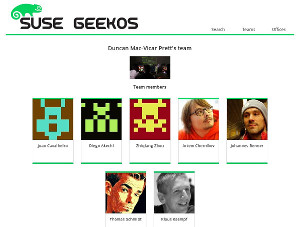
Our company org chart consists mostly of teams + their project managers. teams.suse.com is an application that gives an overview about the various SUSE team resources like org-chart, office locations, mission descriptions, links to team pages/blogs etc. It should combine the various data sources that are already there (eguide, floor, externaltools etc.) and provide a way to enrich this data.
Goals for this hackweek are:
- Responsive layout
- Team data can get changed
- Users can change their job title
- onboarding.suse.com replaced
See the site in action: https://geekos.prv.suse.net

Repositories:


This project is part of:
Hack Week 15 Hack Week 16 Hack Week 17
Activity
Comments
-

about 9 years ago by kalabiyau | Reply
@henne, we have working base for you in RoR - look at https://github.com/SUSE/HiGecko/tree/master/app/models
that is using floor which already uses LDAP, so half is already done, but there is some problems with data availability. I have a story to tell about it.
Result is at http://onboarding.suse.com/
-

about 9 years ago by hennevogel | Reply
@kalabiyau don't know if I'm going to work on this so I guess it's better to tell your story in here so everybody knows :-)
-
-

-

-

Reply to dleidi
Hi guys. I've found this project very cool so far. Thank you for this 
I have a proposal for a feature improvement. I added an issue in the project here. Let me know what do you think about it, and if you're interested in implementing it or not. Thank you.
# A First Level Header ## A Second Level Header Use one asterisk to *emphasize* Use two asterisks for **strong emphasis** - Use hyphens - for unordereed - lists This is an [link to example.com](http://example.com/) This is an image  This is a user link @hans This is a project link hw#some-cool-title
Similar Projects
Liz - Prompt autocomplete by ftorchia
Description
Liz is the Rancher AI assistant for cluster operations.
Goals
We want to help users when sending new messages to Liz, by adding an autocomplete feature to complete their requests based on the context.
Example:
- User prompt: "Can you show me the list of p"
- Autocomplete suggestion: "Can you show me the list of p...od in local cluster?"
Example:
- User prompt: "Show me the logs of #rancher-"
- Chat console: It shows a drop-down widget, next to the # character, with the list of available pod names starting with "rancher-".
Technical Overview
- The AI agent should expose a new ws/autocomplete endpoint to proxy autocomplete messages to the LLM.
- The UI extension should be able to display prompt suggestions and allow users to apply the autocomplete to the Prompt via keyboard shortcuts.
Resources
SUSE Virtualization (Harvester): VM Import UI flow by wombelix
Description
SUSE Virtualization (Harvester) has a vm-import-controller that allows migrating VMs from VMware and OpenStack, but users need to write manifest files and apply them with kubectl to use it. This project is about adding the missing UI pieces to the harvester-ui-extension, making VM Imports accessible without requiring Kubernetes and YAML knowledge.
VMware and OpenStack admins aren't automatically familiar with Kubernetes and YAML. Implementing the UI part for the VM Import feature makes it easier to use and more accessible. The Harvester Enhancement Proposal (HEP) VM Migration controller included a UI flow implementation in its scope. Issue #2274 received multiple comments that an UI integration would be a nice addition, and issue #4663 was created to request the implementation but eventually stalled.
Right now users need to manually create either VmwareSource or OpenstackSource resources, then write VirtualMachineImport manifests with network mappings and all the other configuration options. Users should be able to do that and track import status through the UI without writing YAML.
Work during the Hack Week will be done in this fork in a branch called suse-hack-week-25, making progress publicly visible and open for contributions. When everything works out and the branch is in good shape, it will be submitted as a pull request to harvester-ui-extension to get it included in the next Harvester release.
Testing will focus on VMware since that's what is available in the lab environment (SUSE Virtualization 1.6 single-node cluster, ESXi 8.0 standalone host). Given that this is about UI and surfacing what the vm-import-controller handles, the implementation should work for OpenStack imports as well.
This project is also a personal challenge to learn vue.js and get familiar with Rancher Extensions development, since harvester-ui-extension is built on that framework.
Goals
- Learn Vue.js and Rancher Extensions fundamentals required to finish the project
- Read and learn from other Rancher UI Extensions code, especially understanding the
harvester-ui-extensioncode base - Understand what the
vm-import-controllerand its CRDs require, identify ready to use components in the Rancher UI Extension API that can be leveraged - Implement UI logic for creating and managing
VmwareSource/OpenstackSourceandVirtualMachineImportresources with all relevant configuration options and credentials - Implemnt UI elements to display
VirtualMachineImportstatus and errors
Resources
HEP and related discussion
- https://github.com/harvester/harvester/blob/master/enhancements/20220726-vm-migration.md
- https://github.com/harvester/harvester/issues/2274
- https://github.com/harvester/harvester/issues/4663
SUSE Virtualization VM Import Documentation
Rancher Extensions Documentation
Rancher UI Plugin Examples
Vue Router Essentials
Vue Router API
Vuex Documentation
Kudos aka openSUSE Recognition Platform by lkocman
Description
Relevant blog post at news-o-o
I started the Kudos application shortly after Leap 16.0 to create a simple, friendly way to recognize people for their work and contributions to openSUSE. There’s so much more to our community than just submitting requests in OBS or gitea we have translations (not only in Weblate), wiki edits, forum and social media moderation, infrastructure maintenance, booth participation, talks, manual testing, openQA test suites, and more!
Goals
Kudos under github.com/openSUSE/kudos with build previews aka netlify
Have a kudos.opensuse.org instance running in production
Build an easy-to-contribute recognition platform for the openSUSE community a place where everyone can send and receive appreciation for their work, across all areas of contribution.
In the future, we could even explore reward options such as vouchers for t-shirts or other community swag, small tokens of appreciation to make recognition more tangible.
Resources
(Do not create new badge requests during hackweek, unless you'll make the badge during hackweek)
- Source code: openSUSE/kudos
- Badges: openSUSE/kudos-badges
- Issue tracker: kudos/issues
openQA log viewer by mpagot
Description
*** Warning: Are You at Risk for VOMIT? ***
Do you find yourself staring at a screen, your eyes glossing over as thousands of lines of text scroll by? Do you feel a wave of text-based nausea when someone asks you to "just check the logs"?
You may be suffering from VOMIT (Verbose Output Mental Irritation Toxicity).
This dangerous, work-induced ailment is triggered by exposure to an overwhelming quantity of log data, especially from parallel systems. The human brain, not designed to mentally process 12 simultaneous autoinst-log.txt files, enters a state of toxic shock. It rejects the "Verbose Output," making it impossible to find the one critical error line buried in a 50,000-line sea of "INFO: doing a thing."
Before you're forced to rm -rf /var/log in a fit of desperation, we present the digital antacid.
No panic: we have The openQA Log Visualizer
This is the UI antidote for handling toxic log environments. It bravely dives into the chaotic, multi-machine mess of your openQA test runs, finds all the related, verbose logs, and force-feeds them into a parser.

Goals
Work on the existing POC openqa-log-visualizer about few specific tasks:
- add support for more type of logs
- extend the configuration file syntax beyond the actual one
- work on log parsing performance
Find some beta-tester and collect feedback and ideas about features
If time allow for it evaluate other UI frameworks and solutions (something more simple to distribute and run, maybe more low level to gain in performance).
Resources