
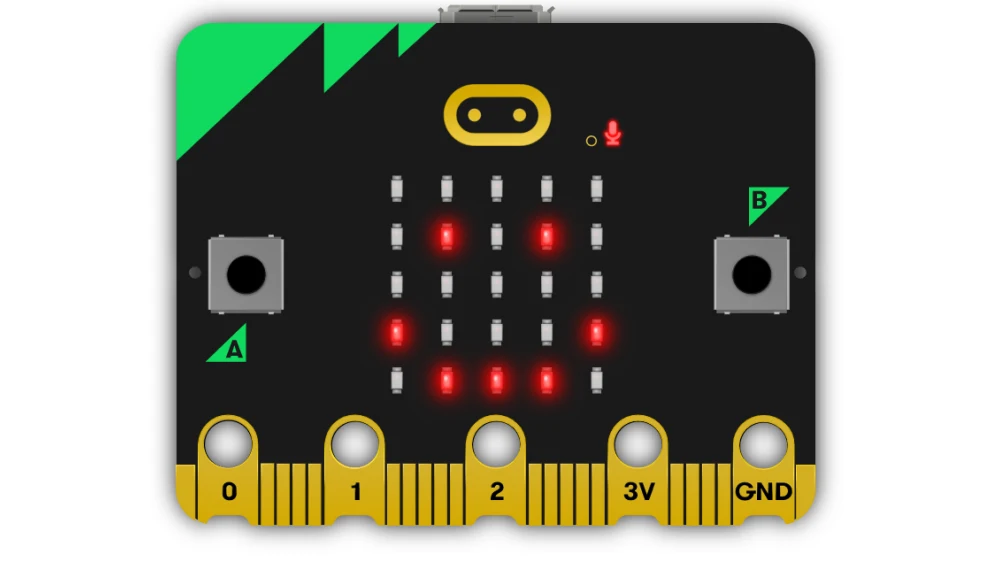
 Learn a bit of embedded programming with Rust in a micro:bit v2
Description
micro:bit is a small single board computer with a ARM Cortex-M4 with the FPU extension, with a very constrain amount of memory and a bunch of sensors and leds.
The board is very well documented, with schematics and code for all the features available, so is an excellent platform for learning embedded programming.
Rust is a system programming language that can generate ARM code, and has crates (libraries) to access the micro:bit hardware. There is plenty documentation about how to make small programs that will run in the micro:bit.
Goals
Start learning about embedded programming in Rust, and maybe make some code to the small KS4036F Robot car from keyestudio.
Resources
- micro:bit
- KS4036F
- microbit technical documentation
- schematic
- impl Rust for micro:bit
- Rust Embedded MB2 Discovery Book
- nRF-HAL
- nRF Microbit-v2 BSP (blocking)
- knurling-rs
- C++ microbit codal
- microbit-bsp for Embassy
- Embassy
Diary
Day 1
- Start reading https://mb2.implrust.com/abstraction-layers.html
- Prepare the dev environment (cross compiler, probe-rs)
- Flash first code in the board (blinky led)
- Checking differences between BSP and HAL
- Compile and install a more complex example, with stack protection
- Reading about the simplicity of xtask, as alias for workspace execution
- Reading the CPP code of the official micro:bit libraries. They have a font!
Day 2
- There are multiple BSP for the microbit. One is using async code for non-blocking operations
- Download and study a bit the API for microbit-v2, the nRF official crate
- Take a look of the KS4036F programming, seems that the communication is multiplexed via I2C
- The motor speed can be selected via PWM (pulse with modulation): power it longer (high frequency), and it will increase the speed
- Scrolling some text
- Debug by printing! defmt is a crate that can be used with probe-rs to emit logs
- Start reading input from the board: buttons
- The logo can be touched and detected as a floating point value
Day 3
- A bit confused how to read the float value from a pin
- It is a typestate and I can only check islow / ishigh
- Move a bit into the HAL layer
- Ahh ... the floating is not about floating point value, is about driving or not (detecting) current
- So there are 5 timers of 32 bits. What's the frequency, Kenneth? (1MHz, 16MHz)
- Async in embedded Rust with Embassy!
- Using Embassy is a bit of cheating, so park it for now
- IRQs handlers for events triggered by devices
- Seems that SPI is for fast devices, and I2C for slow ones, like the accelerometer
- Start reading the rust-embedded book to see if concurrency should be done with interrupts
Day 4
- Learning about RTT (real time transfer) for logs. Very nice interface
- Specific drivers can be written from a generic trait that represent an abstract HAL
- Thanks to the 2nd processor we can use gdb!
- Seems that Tumbleweed's gdb can be used too, is it multiarch?
- With gdb I can also print variables, and enter the core / hal code!
- ... and trace the src and asm code. This is honestly cool.
- Asm code can be directly injected via cortex_m::asm (to disable ints, for example)
I did not make my goal: work with the robot car, but this was really funny. I think that I found a new hobby topic, as there are more things that I want to learn about this, like for example the Embassy async framework.
Something that I want to explore in the weekends is how to put in the nfr and in the Embassy micro:bit BSP all the missing features that are present in the C++ reference implementation (like dim leds, touchpad integration)

This project is part of:
Hack Week 25
Activity
Comments
Be the first to comment!
Similar Projects
Mail client with mailing list workflow support in Rust by acervesato
Description
To create a mail user interface using Rust programming language, supporting mailing list patches workflow. I know, aerc is already there, but I would like to create something simpler, without integrated protocols. Just a plain user interface that is using some crates to read and create emails which are fetched and sent via external tools.
I already know Rust, but not the async support, which is needed in this case in order to handle events inside the mail folder and to send notifications.
Goals
- simple user interface in the style of
aerc, with some vim keybindings for motions and search - automatic run of external tools (like
mbsync) for checking emails - automatic run commands for notifications
- apply patch set from ML
- tree-sitter support with styles
Resources
- ratatui: user interface (https://ratatui.rs/)
- notify: folder watcher (https://docs.rs/notify/latest/notify/)
- mail-parser: parser for emails (https://crates.io/crates/mail-parser)
- mail-builder: create emails in proper format (https://docs.rs/mail-builder/latest/mail_builder/)
- gitpatch: ML support (https://crates.io/crates/gitpatch)
- tree-sitter-rust: support for mail format (https://crates.io/crates/tree-sitter)
Build a terminal user-interface (TUI) for Agama by IGonzalezSosa
Description
Officially, Agama offers two different user interfaces. On the one hand, we have the web-based interface, which is the one you see when you run the installation media. On the other hand, we have a command-line interface. In both cases, you can use them using a remote system, either using a browser or the agama CLI.
We would expect most of the cases to be covered by this approach. However, if you cannot use the web-based interface and, for some reason, you cannot access the system through the network, your only option is to use the CLI. This interface offers a mechanism to modify Agama's configuration using an editor (vim, by default), but perhaps you might want to have a more user-friendly way.
Goals
The main goal of this project is to built a minimal terminal user-interface for Agama. This interface will allow the user to install the system providing just a few settings (selecting a product, a storage device and a user password). Then it should report the installation progress.
Resources
- https://agama-project.github.io/
- https://ratatui.rs/
Conclusions
We have summarized our conclusions in a pull request. It includes screenshots ;-) We did not implement all the features we wanted, but we learn a lot during the process. We know that, if needed, we could write a TUI for Agama and we have an idea about how to build it. Good enough.
Learn how to use the Relm4 Rust GUI crate by xiaoguang_wang
Relm4 is based on gtk4-rs and compatible with libadwaita. The gtk4-rs crate provides all the tools necessary to develop applications. Building on this foundation, Relm4 makes developing more idiomatic, simpler, and faster.
https://github.com/Relm4/Relm4
RMT.rs: High-Performance Registration Path for RMT using Rust by gbasso
Description
The SUSE Repository Mirroring Tool (RMT) is a critical component for managing software updates and subscriptions, especially for our Public Cloud Team (PCT). In a cloud environment, hundreds or even thousands of new SUSE instances (VPS/EC2) can be provisioned simultaneously. Each new instance attempts to register against an RMT server, creating a "thundering herd" scenario.
We have observed that the current RMT server, written in Ruby, faces performance issues under this high-concurrency registration load. This can lead to request overhead, slow registration times, and outright registration failures, delaying the readiness of new cloud instances.
This Hackweek project aims to explore a solution by re-implementing the performance-critical registration path in Rust. The goal is to leverage Rust's high performance, memory safety, and first-class concurrency handling to create an alternative registration endpoint that is fast, reliable, and can gracefully manage massive, simultaneous request spikes.
The new Rust module will be integrated into the existing RMT Ruby application, allowing us to directly compare the performance of both implementations.
Goals
The primary objective is to build and benchmark a high-performance Rust-based alternative for the RMT server registration endpoint.
Key goals for the week:
- Analyze & Identify: Dive into the
SUSE/rmtRuby codebase to identify and map out the exact critical path for server registration (e.g., controllers, services, database interactions). - Develop in Rust: Implement a functionally equivalent version of this registration logic in Rust.
- Integrate: Explore and implement a method for Ruby/Rust integration to "hot-wire" the new Rust module into the RMT application. This may involve using FFI, or libraries like
rb-sysormagnus. - Benchmark: Create a benchmarking script (e.g., using
k6,ab, or a custom tool) that simulates the high-concurrency registration load from thousands of clients. - Compare & Present: Conduct a comparative performance analysis (requests per second, latency, success/error rates, CPU/memory usage) between the original Ruby path and the new Rust path. The deliverable will be this data and a summary of the findings.
Resources
- RMT Source Code (Ruby):
https://github.com/SUSE/rmt
- RMT Documentation:
https://documentation.suse.com/sles/15-SP7/html/SLES-all/book-rmt.html
- Tooling & Stacks:
- RMT/Ruby development environment (for running the base RMT)
- Rust development environment (
rustup,cargo)
- Potential Integration Libraries:
- rb-sys:
https://github.com/oxidize-rb/rb-sys - Magnus:
https://github.com/matsadler/magnus
- rb-sys:
- Benchmarking Tools:
k6(https://k6.io/)ab(ApacheBench)
Looking at Rust if it could be an interesting programming language by jsmeix
Get some basic understanding of Rust security related features from a general point of view.
This Hack Week project is not to learn Rust to become a Rust programmer. This might happen later but it is not the goal of this Hack Week project.
The goal of this Hack Week project is to evaluate if Rust could be an interesting programming language.
An interesting programming language must make it easier to write code that is correct and stays correct when over time others maintain and enhance it than the opposite.
Smart lighting with Pico 2 by jmodak
Description
I am trying to create a smart-lighting project with a Raspberry Pi Pico that reacts to a movie's visuals and audio that involves combining two distinct functions: ambient screen lighting(visual response) and sound-reactive lighting(audio response)
Goals
- Visuals: Capturing the screen's colour requires an external device to analyse screen content and send colour data to the MCU via serial communication.
- Audio: A sound sensor module connected directly to the Pico that can detect sound volume.
- Pico 2W: The MCU receives data fro, both inputs and controls an LED strip.
Resources
- Raspberry Pi Pico 2 W
- RGB LED strip
- Sound detecting sensor
- Power supply
- breadboard and wires
OSHW USB token for Passkeys (FIDO2, U2F, WebAuthn) and PGP by duwe
Description
The idea to carry your precious key material along in a specially secured hardware item is almost as old as public keys themselves, starting with the OpenPGP card. Nowadays, an USB plug or NFC are the hardware interfaces of choice, and password-less log-ins are fortunately becoming more popular and standardised.
Meanwhile there are a few products available in that field, for example
yubikey - the "market leader", who continues to sell off buggy, allegedly unfixable firmware ROMs from old stock. Needless to say, it's all but open source, so assume backdoors.
nitrokey - the "start" variant is open source, but the hardware was found to leak its flash ROM content via the SWD debugging interface (even when the flash is read protected !) Compute power is barely enough for Curve25519, Flash memory leaves room for only 3 keys.
solokey(2) - quite neat hardware, with a secure enclave called "TrustZone-M". Unfortunately, the OSS firmware development is stuck in a rusty dead end and cannot use it. Besides, NXP's support for open source toolchains for its devboards is extremely limited.
I plan to base this project on the not-so-tiny USB stack, which is extremely easy to retarget, and to rewrite / refactor the crypto protocols to use the keys only via handles, so the actual key material can be stored securely. Best OSS support seems to be for STM32-based products.
Goals
Create a proof-of-concept item that can provide a second factor for logins and/or decrypt a PGP mail with your private key without disclosing the key itself. Implement or at least show a migration path to store the private key in a location with elevated hardware security.
Resources
STM32 Nucleo, blackmagic probe, tropicsquare tropic01, arm-none cross toolchain
Creating test suite using LLM on existing codebase of a solar router by fcrozat
Description
Two years ago, I evaluated solar routers as part of hackweek24, I've assembled one and it is running almost smoothly.
However, its code quality is not perfect and the codebase doesn't have any testcase (which is tricky, since it is embedded code and rely on getting external data to react).
Before improving the code itself, a testsuite should be created to ensure code additional don't cause regression.
Goals
Create a testsuite, allowing to test solar router code in a virtual environment. Using LLM to help to create this test suite.
If succesful, try to improve the codebase itself by having it reviewed by LLM.
Resources