
 Container images for building the Uyuni docs
Project Description
The Uyuni doc requires a lot of dependencies installed to be built. Keeping your system on the right versions or reinstalling can be a challenge.
Moreover, we don't build the documentation on the PRs, so we can inspect it, and we don't have it in any place before we prepare releases.
Goal for this Hackweek
- Create a container image that can build the doc from a set of parameters (git repository, git reference, product)
- Publish the container to GitHub (at least for now, OBS is not an option, as a lot of gems and npm packages are required) -> to Docker Hub for now
- Create a github action to build, on demand, the doc and (somehow) publish it -> postponed
Skills
- Able to write docker files
- Familiarity with GitHub actions
- Familiarity with container images on GitHub
- Familiarity with publishing objects (if possible static website) from PRs, by using GitHub tooling
Resources
- https://github.com/uyuni-project/uyuni-docs
- https://github.com/uyuni-project/uyuni-docs/wiki/Install-the-latest-documentation-toolchain
- https://github.com/jordimassaguerpla/uyuni/blob/master/.github/workflows/build_containers.yml
- https://github.com/jordimassaguerpla/uyuni/actions/runs/4024484061/workflow
Outcome
https://github.com/uyuni-project/uyuni-docs-helper

Looking for hackers with the skills:
uyuni containers github_actions github_page antora susemanager
This project is part of:
Hack Week 22
Activity
Comments
-

almost 3 years ago by juliogonzalezgil | Reply
WIP at: https://github.com/juliogonzalez/uyuni-docs-container-image
For now, I focused on publishing the image to the DockerHub, and being able to build the doc from either a local clone or a remote git repository, so I can easily prepare a demo.
Publishing to GitHub or using this on PRs, will come later.
-
almost 3 years ago by juliogonzalezgil | Reply
While part of the work is pending, it will be handled as part of my work for SUSE Manager.
The basics are there, and will be presented to the Uyuni Community and the SUSE Manager stakeholders in the next meetings.
Similar Projects
Ansible to Salt integration by vizhestkov
Description
We already have initial integration of Ansible in Salt with the possibility to run playbooks from the salt-master on the salt-minion used as an Ansible Control node.
In this project I want to check if it possible to make Ansible working on the transport of Salt. Basically run playbooks with Ansible through existing established Salt (ZeroMQ) transport and not using ssh at all.
It could be a good solution for the end users to reuse Ansible playbooks or run Ansible modules they got used to with no effort of complex configuration with existing Salt (or Uyuni/SUSE Multi Linux Manager) infrastructure.
Goals
- [v] Prepare the testing environment with Salt and Ansible installed
- [v] Discover Ansible codebase to figure out possible ways of integration
- [v] Create Salt/Uyuni inventory module
- [v] Make basic modules to work with no using separate ssh connection, but reusing existing Salt connection
- [v] Test some most basic playbooks
Resources
Testing and adding GNU/Linux distributions on Uyuni by juliogonzalezgil
Join the Gitter channel! https://gitter.im/uyuni-project/hackweek
Uyuni is a configuration and infrastructure management tool that saves you time and headaches when you have to manage and update tens, hundreds or even thousands of machines. It also manages configuration, can run audits, build image containers, monitor and much more!
Currently there are a few distributions that are completely untested on Uyuni or SUSE Manager (AFAIK) or just not tested since a long time, and could be interesting knowing how hard would be working with them and, if possible, fix whatever is broken.
For newcomers, the easiest distributions are those based on DEB or RPM packages. Distributions with other package formats are doable, but will require adapting the Python and Java code to be able to sync and analyze such packages (and if salt does not support those packages, it will need changes as well). So if you want a distribution with other packages, make sure you are comfortable handling such changes.
No developer experience? No worries! We had non-developers contributors in the past, and we are ready to help as long as you are willing to learn. If you don't want to code at all, you can also help us preparing the documentation after someone else has the initial code ready, or you could also help with testing :-)
The idea is testing Salt (including bootstrapping with bootstrap script) and Salt-ssh clients
To consider that a distribution has basic support, we should cover at least (points 3-6 are to be tested for both salt minions and salt ssh minions):
- Reposync (this will require using spacewalk-common-channels and adding channels to the .ini file)
- Onboarding (salt minion from UI, salt minion from bootstrap scritp, and salt-ssh minion) (this will probably require adding OS to the bootstrap repository creator)
- Package management (install, remove, update...)
- Patching
- Applying any basic salt state (including a formula)
- Salt remote commands
- Bonus point: Java part for product identification, and monitoring enablement
- Bonus point: sumaform enablement (https://github.com/uyuni-project/sumaform)
- Bonus point: Documentation (https://github.com/uyuni-project/uyuni-docs)
- Bonus point: testsuite enablement (https://github.com/uyuni-project/uyuni/tree/master/testsuite)
If something is breaking: we can try to fix it, but the main idea is research how supported it is right now. Beyond that it's up to each project member how much to hack :-)
- If you don't have knowledge about some of the steps: ask the team
- If you still don't know what to do: switch to another distribution and keep testing.
This card is for EVERYONE, not just developers. Seriously! We had people from other teams helping that were not developers, and added support for Debian and new SUSE Linux Enterprise and openSUSE Leap versions :-)
In progress/done for Hack Week 25
Guide
We started writin a Guide: Adding a new client GNU Linux distribution to Uyuni at https://github.com/uyuni-project/uyuni/wiki/Guide:-Adding-a-new-client-GNU-Linux-distribution-to-Uyuni, to make things easier for everyone, specially those not too familiar wht Uyuni or not technical.
openSUSE Leap 16.0
The distribution will all love!
https://en.opensuse.org/openSUSE:Roadmap#DRAFTScheduleforLeap16.0
Curent Status We started last year, it's complete now for Hack Week 25! :-D
[W]Reposync (this will require using spacewalk-common-channels and adding channels to the .ini file) NOTE: Done, client tools for SLMicro6 are using as those for SLE16.0/openSUSE Leap 16.0 are not available yet[W]Onboarding (salt minion from UI, salt minion from bootstrap scritp, and salt-ssh minion) (this will probably require adding OS to the bootstrap repository creator)[W]Package management (install, remove, update...). Works, even reboot requirement detection
Set Uyuni to manage edge clusters at scale by RDiasMateus
Description
Prepare a Poc on how to use MLM to manage edge clusters. Those cluster are normally equal across each location, and we have a large number of them.
The goal is to produce a set of sets/best practices/scripts to help users manage this kind of setup.
Goals
step 1: Manual set-up
Goal: Have a running application in k3s and be able to update it using System Update Controler (SUC)
- Deploy Micro 6.2 machine
Deploy k3s - single node
- https://docs.k3s.io/quick-start
Build/find a simple web application (static page)
- Build/find a helmchart to deploy the application
Deploy the application on the k3s cluster
Install App updates through helm update
Install OS updates using MLM
step 2: Automate day 1
Goal: Trigger the application deployment and update from MLM
- Salt states For application (with static data)
- Deploy the application helmchart, if not present
- install app updates through helmchart parameters
- Link it to GIT
- Define how to link the state to the machines (based in some pillar data? Using configuration channels by importing the state? Naming convention?)
- Use git update to trigger helmchart app update
- Recurrent state applying configuration channel?
step 3: Multi-node cluster
Goal: Use SUC to update a multi-node cluster.
- Create a multi-node cluster
- Deploy application
- call the helm update/install only on control plane?
- Install App updates through helm update
- Prepare a SUC for OS update (k3s also? How?)
- https://github.com/rancher/system-upgrade-controller
- https://documentation.suse.com/cloudnative/k3s/latest/en/upgrades/automated.html
- Update/deploy the SUC?
- Update/deploy the SUC CRD with the update procedure
Set Up an Ephemeral Uyuni Instance by mbussolotto
Description
To test, check, and verify the latest changes in the master branch, we want to easily set up an ephemeral environment.
Goals
- Create an ephemeral environment manually
Create an ephemeral environment automatically
Resources
https://github.com/uyuni-project/uyuni
https://www.uyuni-project.org/uyuni-docs/en/uyuni/index.html
Move Uyuni Test Framework from Selenium to Playwright + AI by oscar-barrios
Description
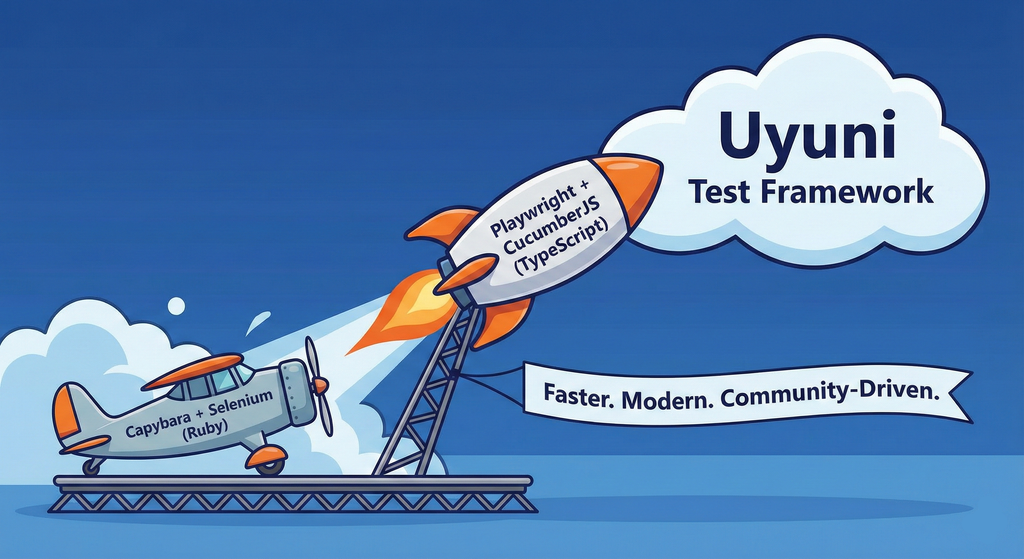
This project aims to migrate the existing Uyuni Test Framework from Selenium to Playwright. The move will improve the stability, speed, and maintainability of our end-to-end tests by leveraging Playwright's modern features. We'll be rewriting the current Selenium code in Ruby to Playwright code in TypeScript, which includes updating the test framework runner, step definitions, and configurations. This is also necessary because we're moving from Cucumber Ruby to CucumberJS.
If you're still curious about the AI in the title, it was just a way to grab your attention. Thanks for your understanding.
Nah, let's be honest  AI helped a lot to vibe code a good part of the Ruby methods of the Test framework, moving them to Typescript, along with the migration from Capybara to Playwright. I've been using "Cline" as plugin for WebStorm IDE, using Gemini API behind it.
Goals
- Migrate Core tests including Onboarding of clients
- Improve test reliabillity: Measure and confirm a significant reduction of flakiness.
- Implement a robust framework: Establish a well-structured and reusable Playwright test framework using the CucumberJS
Resources
- Existing Uyuni Test Framework (Cucumber Ruby + Capybara + Selenium)
- My Template for CucumberJS + Playwright in TypeScript
- Started Hackweek Project
Technical talks at universities by agamez
Description
This project aims to empower the next generation of tech professionals by offering hands-on workshops on containerization and Kubernetes, with a strong focus on open-source technologies. By providing practical experience with these cutting-edge tools and fostering a deep understanding of open-source principles, we aim to bridge the gap between academia and industry.
For now, the scope is limited to Spanish universities, since we already have the contacts and have started some conversations.
Goals
- Technical Skill Development: equip students with the fundamental knowledge and skills to build, deploy, and manage containerized applications using open-source tools like Kubernetes.
- Open-Source Mindset: foster a passion for open-source software, encouraging students to contribute to open-source projects and collaborate with the global developer community.
- Career Readiness: prepare students for industry-relevant roles by exposing them to real-world use cases, best practices, and open-source in companies.
Resources
- Instructors: experienced open-source professionals with deep knowledge of containerization and Kubernetes.
- SUSE Expertise: leverage SUSE's expertise in open-source technologies to provide insights into industry trends and best practices.
Port the classic browser game HackTheNet to PHP 8 by dgedon
Description
The classic browser game HackTheNet from 2004 still runs on PHP 4/5 and MySQL 5 and needs a port to PHP 8 and e.g. MariaDB.
Goals
- Port the game to PHP 8 and MariaDB 11
- Create a container where the game server can simply be started/stopped
Resources
- https://github.com/nodeg/hackthenet
Rewrite Distrobox in go (POC) by fabriziosestito
Description
Rewriting Distrobox in Go.
Main benefits:
- Easier to maintain and to test
- Adapter pattern for different container backends (LXC, systemd-nspawn, etc.)
Goals
- Build a minimal starting point with core commands
- Keep the CLI interface compatible: existing users shouldn't notice any difference
- Use a clean Go architecture with adapters for different container backends
- Keep dependencies minimal and binary size small
- Benchmark against the original shell script
Resources
- Upstream project: https://github.com/89luca89/distrobox/
- Distrobox site: https://distrobox.it/
- ArchWiki: https://wiki.archlinux.org/title/Distrobox
Help Create A Chat Control Resistant Turnkey Chatmail/Deltachat Relay Stack - Rootless Podman Compose, OpenSUSE BCI, Hardened, & SELinux by 3nd5h1771fy
Description
The Mission: Decentralized & Sovereign Messaging
FYI: If you have never heard of "Chatmail", you can visit their site here, but simply put it can be thought of as the underlying protocol/platform decentralized messengers like DeltaChat use for their communications. Do not confuse it with the honeypot looking non-opensource paid for prodect with better seo that directs you to chatmailsecure(dot)com
In an era of increasing centralized surveillance by unaccountable bad actors (aka BigTech), "Chat Control," and the erosion of digital privacy, the need for sovereign communication infrastructure is critical. Chatmail is a pioneering initiative that bridges the gap between classic email and modern instant messaging, offering metadata-minimized, end-to-end encrypted (E2EE) communication that is interoperable and open.
However, unless you are a seasoned sysadmin, the current recommended deployment method of a Chatmail relay is rigid, fragile, difficult to properly secure, and effectively takes over the entire host the "relay" is deployed on.
Why This Matters
A simple, host agnostic, reproducible deployment lowers the entry cost for anyone wanting to run a privacy‑preserving, decentralized messaging relay. In an era of perpetually resurrected chat‑control legislation threats, EU digital‑sovereignty drives, and many dangers of using big‑tech messaging platforms (Apple iMessage, WhatsApp, FB Messenger, Instagram, SMS, Google Messages, etc...) for any type of communication, providing an easy‑to‑use alternative empowers:
- Censorship resistance - No single entity controls the relay; operators can spin up new nodes quickly.
- Surveillance mitigation - End‑to‑end OpenPGP encryption ensures relay operators never see plaintext.
- Digital sovereignty - Communities can host their own infrastructure under local jurisdiction, aligning with national data‑policy goals.
By turning the Chatmail relay into a plug‑and‑play container stack, we enable broader adoption, foster a resilient messaging fabric, and give developers, activists, and hobbyists a concrete tool to defend privacy online.
Goals
As I indicated earlier, this project aims to drastically simplify the deployment of Chatmail relay. By converting this architecture into a portable, containerized stack using Podman and OpenSUSE base container images, we can allow anyone to deploy their own censorship-resistant, privacy-preserving communications node in minutes.
Our goal for Hack Week: package every component into containers built on openSUSE/MicroOS base images, initially orchestrated with a single container-compose.yml (podman-compose compatible). The stack will:
- Run on any host that supports Podman (including optimizations and enhancements for SELinux‑enabled systems).
- Allow network decoupling by refactoring configurations to move from file-system constrained Unix sockets to internal TCP networking, allowing containers achieve stricter isolation.
- Utilize Enhanced Security with SELinux by using purpose built utilities such as udica we can quickly generate custom SELinux policies for the container stack, ensuring strict confinement superior to standard/typical Docker deployments.
- Allow the use of bind or remote mounted volumes for shared data (
/var/vmail, DKIM keys, TLS certs, etc.). - Replace the local DNS server requirement with a remote DNS‑provider API for DKIM/TXT record publishing.
By delivering a turnkey, host agnostic, reproducible deployment, we lower the barrier for individuals and small communities to launch their own chatmail relays, fostering a decentralized, censorship‑resistant messaging ecosystem that can serve DeltaChat users and/or future services adopting this protocol
Resources
- The links included above
- https://chatmail.at/doc/relay/
- https://delta.chat/en/help
- Project repo -> https://codeberg.org/EndShittification/containerized-chatmail-relay
DNS management with DNSControl by itorres
Description
We use several systems to manage DNS at SUSE and openSUSE: BIND, external providers, PowerDNS... each of them is managed in a different way either with raw zones (BIND) or Terraform (external providers).
DNSControl is an opinionated tool to manage DNS as code while being provider agnostic. It's developed and used by StackExchange, was spearheaded by Tom Limoncelly and is already being used to manage DNS for openSUSE.
Implementing DNSControl should allow us to have a single DNS operations interface that end users can leverage.
This would reduce complexity for end users as they can use a single simplified ECMAScript based DSL instead of BIND zones for internal and HCL config for external.
Operations for our IT organization would be greatly reduced. DNSControl itself has several internal checks that reduce our need to do linting and we can concentrate on implementing logical checks based on ownership.
This simplifies reviews a lot and the integration with BIND and providers allows our IT organization to implement an apply on merge.
At an organizational level it will separate our DNS tasks from other IT operations, speeding up DNS changes and allowing us to delegate DNS reviews to service desk or even customer teams through CODEOWNERS.
Goals
- Create a test subdomain in one of our internal BIND servers to be managed with DNSControl.
- Create an internal DNSControl repository to implement gitops for DNS.
- Deploy DNS changes strictly through gitops.
Extended goals
- Implement CODEOWNERS.
- Replicate main goals for external DNS.
Resources
- DNSControl documentation and introduction
- Opinions guiding DNSControl
- Package in OBS
- openSUSE repo to manage DNS with DNS Control
Enhance setup wizard for Uyuni by PSuarezHernandez
Description
This project wants to enhance the intial setup on Uyuni after its installation, so it's easier for a user to start using with it.
Uyuni currently uses "uyuni-tools" (mgradm) as the installation entrypoint, to trigger the installation of Uyuni in the given host, but does not really perform an initial setup, for instance:
- user creation
- adding products / channels
- generating bootstrap repos
- create activation keys
- ...
Goals
- Provide initial setup wizard as part of mgradm uyuni installation
Resources
Testing and adding GNU/Linux distributions on Uyuni by juliogonzalezgil
Join the Gitter channel! https://gitter.im/uyuni-project/hackweek
Uyuni is a configuration and infrastructure management tool that saves you time and headaches when you have to manage and update tens, hundreds or even thousands of machines. It also manages configuration, can run audits, build image containers, monitor and much more!
Currently there are a few distributions that are completely untested on Uyuni or SUSE Manager (AFAIK) or just not tested since a long time, and could be interesting knowing how hard would be working with them and, if possible, fix whatever is broken.
For newcomers, the easiest distributions are those based on DEB or RPM packages. Distributions with other package formats are doable, but will require adapting the Python and Java code to be able to sync and analyze such packages (and if salt does not support those packages, it will need changes as well). So if you want a distribution with other packages, make sure you are comfortable handling such changes.
No developer experience? No worries! We had non-developers contributors in the past, and we are ready to help as long as you are willing to learn. If you don't want to code at all, you can also help us preparing the documentation after someone else has the initial code ready, or you could also help with testing :-)
The idea is testing Salt (including bootstrapping with bootstrap script) and Salt-ssh clients
To consider that a distribution has basic support, we should cover at least (points 3-6 are to be tested for both salt minions and salt ssh minions):
- Reposync (this will require using spacewalk-common-channels and adding channels to the .ini file)
- Onboarding (salt minion from UI, salt minion from bootstrap scritp, and salt-ssh minion) (this will probably require adding OS to the bootstrap repository creator)
- Package management (install, remove, update...)
- Patching
- Applying any basic salt state (including a formula)
- Salt remote commands
- Bonus point: Java part for product identification, and monitoring enablement
- Bonus point: sumaform enablement (https://github.com/uyuni-project/sumaform)
- Bonus point: Documentation (https://github.com/uyuni-project/uyuni-docs)
- Bonus point: testsuite enablement (https://github.com/uyuni-project/uyuni/tree/master/testsuite)
If something is breaking: we can try to fix it, but the main idea is research how supported it is right now. Beyond that it's up to each project member how much to hack :-)
- If you don't have knowledge about some of the steps: ask the team
- If you still don't know what to do: switch to another distribution and keep testing.
This card is for EVERYONE, not just developers. Seriously! We had people from other teams helping that were not developers, and added support for Debian and new SUSE Linux Enterprise and openSUSE Leap versions :-)
In progress/done for Hack Week 25
Guide
We started writin a Guide: Adding a new client GNU Linux distribution to Uyuni at https://github.com/uyuni-project/uyuni/wiki/Guide:-Adding-a-new-client-GNU-Linux-distribution-to-Uyuni, to make things easier for everyone, specially those not too familiar wht Uyuni or not technical.
openSUSE Leap 16.0
The distribution will all love!
https://en.opensuse.org/openSUSE:Roadmap#DRAFTScheduleforLeap16.0
Curent Status We started last year, it's complete now for Hack Week 25! :-D
[W]Reposync (this will require using spacewalk-common-channels and adding channels to the .ini file) NOTE: Done, client tools for SLMicro6 are using as those for SLE16.0/openSUSE Leap 16.0 are not available yet[W]Onboarding (salt minion from UI, salt minion from bootstrap scritp, and salt-ssh minion) (this will probably require adding OS to the bootstrap repository creator)[W]Package management (install, remove, update...). Works, even reboot requirement detection
Set Uyuni to manage edge clusters at scale by RDiasMateus
Description
Prepare a Poc on how to use MLM to manage edge clusters. Those cluster are normally equal across each location, and we have a large number of them.
The goal is to produce a set of sets/best practices/scripts to help users manage this kind of setup.
Goals
step 1: Manual set-up
Goal: Have a running application in k3s and be able to update it using System Update Controler (SUC)
- Deploy Micro 6.2 machine
Deploy k3s - single node
- https://docs.k3s.io/quick-start
Build/find a simple web application (static page)
- Build/find a helmchart to deploy the application
Deploy the application on the k3s cluster
Install App updates through helm update
Install OS updates using MLM
step 2: Automate day 1
Goal: Trigger the application deployment and update from MLM
- Salt states For application (with static data)
- Deploy the application helmchart, if not present
- install app updates through helmchart parameters
- Link it to GIT
- Define how to link the state to the machines (based in some pillar data? Using configuration channels by importing the state? Naming convention?)
- Use git update to trigger helmchart app update
- Recurrent state applying configuration channel?
step 3: Multi-node cluster
Goal: Use SUC to update a multi-node cluster.
- Create a multi-node cluster
- Deploy application
- call the helm update/install only on control plane?
- Install App updates through helm update
- Prepare a SUC for OS update (k3s also? How?)
- https://github.com/rancher/system-upgrade-controller
- https://documentation.suse.com/cloudnative/k3s/latest/en/upgrades/automated.html
- Update/deploy the SUC?
- Update/deploy the SUC CRD with the update procedure