
 Create a DRM driver for VGA video cards
Yes, those VGA video cards. The goal of this project is to implement a DRM graphics driver for such devices. While actual hardware is hard to obtain or even run today, qemu emulates VGA output.
VGA has a number of limitations, which make this project interesting.
- There are only 640x480 pixels (or less) on the screen. That resolution is also a soft lower limit imposed by DRM. It's mostly a problem for desktop environments though.
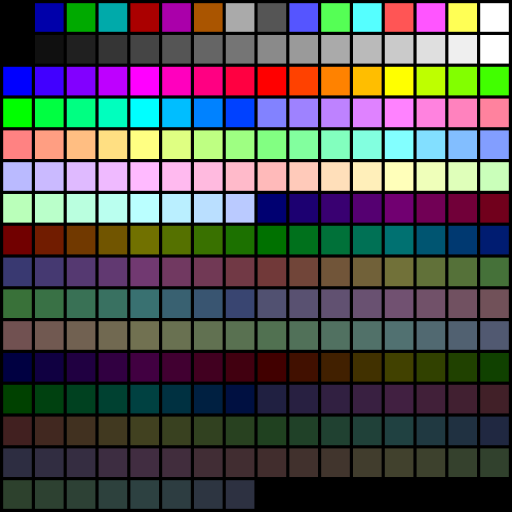
- Desktop environments assume 16 million colors, but there are only 16 colors with VGA. VGA's 256 color palette is not available at 640x480. We can choose those 16 colors freely. The interesting part is how to choose them. We have to build a palette for the displayed frame and map each color to one of the palette's 16 entries. This is called dithering, and VGA's limitations are a good opportunity to learn about dithering algorithms.
- VGA has an interesting memory layout. Most graphics devices use linear framebuffers, which store the pixels byte by byte. VGA uses 4 bitplanes instead. Plane 0 holds all bits 0 of all pixels. Plane 1 holds all bits 1 of all pixels, and so on.
The driver will probably not be useful to many people. But, if finished, it can serve as test environment for low-level hardware. There's some interest in supporting old Amiga and Atari framebuffers in DRM. Those systems have similar limitations as VGA, but are harder to obtain and test with. With qemu, the VGA driver could fill this gap.
Apart from the Wikipedia entry, good resources on VGA are at osdev.net and FreeVGA


This project is part of:
Hack Week 22 Hack Week 24
Activity
Comments
-

almost 3 years ago by tdz | Reply
I have pushed a skeleton driver to Gitlab. The does not display anything yet, but binds to a provided VGA device. The rsp kernel config for i586 is here.
I use 32-bit Tumbleweed on qemu as testing environment. Here are some short setup instructions.
- Download TW for 32-bit and install in a qemu guest
- There are various emulated graphics devices available with qemu's 32-bit emulation. I use virtio, but anything with VGA should work
- On the installed system, open /etc/default/grub and set 'GRUB_TERMINAL=console' to enable textmode. Also append 'console=ttyS0,115200n8' to 'GRUB_CMDLINE_LINUX_DEFAULT' to enable serial-console output.
- Recreate grub's config with ' sudo grub2-mkconfig -o /boot/grub2/grub.cfg'. These steps will set grub to VGA text mode.
- Build and install the provided kernel. I use 'make O=build-i586/' and then again with module_install and install to get it installed. This requires kernel development tools.
- After a reboot, grub should start in text mode. The development kernel should load the vgadrm driver. It does not display anything. If you switch to the serial console and login, 'dmesg | grep drm' should mention vgadrm.
-
almost 3 years ago by tdz | Reply
Day 1: I started with the skeleton driver that binds to the VGA device without doing proper output. I added blitting code to copy the framebuffer data into the video memory. The driver also installs a default palette on each pageflip. The screen now turns dark, but at least it's obvious that something changed. Updating the video memory is somewhat complicated due to VGA's awkward memory layout and a number of register settings that modify the written framebuffer data.
See https://gitlab.suse.de/tzimmermann/linux/-/commits/vgadrm-day1.
-
-
almost 3 years ago by tdz | Reply
Day 2: I've been fixing register settings for the whole day. The driver is still not functional, but there's at least noise displayed on the screen. The existing material at FreeVGA and osdev.net has been extremely helpful.
See https://gitlab.suse.de/tzimmermann/linux/-/tree/vgadrm-day2.
-
almost 3 years ago by tdz | Reply
Day 3: I only did register debugging today, as I still don't see an image on the screen. VGA has plenty of settings for text mode; plus compatibility with the even older EGA and CGA cards. I guess those could interfere or I'm simply missing something trivial. The qemu emulator doesn't seems to tell me about possible problems. So I'm going to set up a regular BIOS-based PC to test the driver. Connecting a monitor should give a signal and a video mode. If the signal is there, the problem is in the screen update; if not it's in the mode setting.
See https://gitlab.suse.de/tzimmermann/linux/-/tree/vgadrm-day3.
-
-
almost 3 years ago by tdz | Reply
Day 4: I stepped through my commits and made them into smaller pieces until I found the reason why the screen remained dark. It turns out that it's necessary to activate the palette after filling it with colors. The bit the to that is non-intuitively hidden in the attribute controller's index register, which also serve as a data register. The VGA device's interface is often like this and small errors can quickly backfire.
So there's still the noise on the screen, but with repeating patterns. It looks like the final problem is in the way the VGA chips reads from video memory.
See https://gitlab.suse.de/tzimmermann/linux/-/tree/vgadrm-day4.
-
almost 3 years ago by tdz | Reply
Day 5: Today I finally got a working output on the screen! Upon boot, the kernel console is being displayed and it is possible to log in and use the command line. The screen flickers, has a few artifacts and sometimes the colors are off, but it mostly works. I assume that the remaining problems come from many little issue within the kernel's DRM framework. The helpers for color-format conversion and blitting are not prepared to handle 16-color palette modes. So a few fixes might be required. Nevertheless, the display output is there and I count this hackweek project as a success. If I find the time to fix the remaining bugs, I'll send the driver to upstream for inclusion in the official Linux kernel.
See https://gitlab.suse.de/tzimmermann/linux/-/tree/vgadrm-day5.
Similar Projects
bpftrace contribution by mkoutny
Description
bpftrace is a great tool, no need to sing odes to it here. It can access any kernel data and process them in real time. It provides helpers for some common Linux kernel structures but not all.
Goals
- set up bpftrace toolchain
- learn about bpftrace implementation and internals
- implement support for
percpu_counters - look into some of the first issues
- send a refined PR (on Thu)
Resources
Add Qualcomm Snapdragon 765G (SM7250) basic device tree to mainline linux kernel by pvorel
Qualcomm Snapdragon 765G (SM7250) (smartphone SoC) has no support in the linux kernel, nor in u-boot. Try to add basic device tree support. The hardest part will be to create boot.img which will be accepted by phone.
UART is available for smartphone :).
pudc - A PID 1 process that barks to the internet by mssola
Description
As a fun exercise in order to dig deeper into the Linux kernel, its interfaces, the RISC-V architecture, and all the dragons in between; I'm building a blog site cooked like this:
- The backend is written in a mixture of C and RISC-V assembly.
- The backend is actually PID1 (for real, not within a container).
- We poll and parse incoming HTTP requests ourselves.
- The frontend is a mere HTML page with htmx.
The project is meant to be Linux-specific, so I'm going to use io_uring, pidfs, namespaces, and Linux-specific features in order to drive all of this.
I'm open for suggestions and so on, but this is meant to be a solo project, as this is more of a learning exercise for me than anything else.
Goals
- Have a better understanding of different Linux features from user space down to the kernel internals.
- Most importantly: have fun.
Resources
Improve UML page fault handler by ptesarik
Description
Improve UML handling of segmentation faults in kernel mode. Although such page faults are generally caused by a kernel bug, it is annoying if they cause an infinite loop, or panic the kernel. More importantly, a robust implementation allows to write KUnit tests for various guard pages, preventing potential kernel self-protection regressions.
Goals
Convert the UML page fault handler to use oops_* helpers, go through a few review rounds and finally get my patch series merged in 6.14.
Resources
Wrong initial attempt: https://lore.kernel.org/lkml/20231215121431.680-1-petrtesarik@huaweicloud.com/T/
early stage kdump support by mbrugger
Project Description
When we experience a early boot crash, we are not able to analyze the kernel dump, as user-space wasn't able to load the crash system. The idea is to make the crash system compiled into the host kernel (think of initramfs) so that we can create a kernel dump really early in the boot process.
Goal for the Hackweeks
- Investigate if this is possible and the implications it would have (done in HW21)
- Hack up a PoC (done in HW22 and HW23)
- Prepare RFC series (giving it's only one week, we are entering wishful thinking territory here).
update HW23
- I was able to include the crash kernel into the kernel Image.
- I'll need to find a way to load that from
init/main.c:start_kernel()probably afterkcsan_init() - I workaround for a smoke test was to hack
kexec_file_load()systemcall which has two problems:- My initramfs in the porduction kernel does not have a new enough kexec version, that's not a blocker but where the week ended
- As the crash kernel is part of init.data it will be already stale once I can call
kexec_file_load()from user-space.
The solution is probably to rewrite the POC so that the invocation can be done from init.text (that's my theory) but I'm not sure if I can reuse the kexec infrastructure in the kernel from there, which I rely on heavily.
update HW24
- Day1
- rebased on v6.12 with no problems others then me breaking the config
- setting up a new compilation and qemu/virtme env
- getting desperate as nothing works that used to work
- Day 2
- getting to call the invocation of loading the early kernel from
__initafterkcsan_init()
- getting to call the invocation of loading the early kernel from
Day 3
- fix problem of memdup not being able to alloc so much memory... use 64K page sizes for now
- code refactoring
- I'm now able to load the crash kernel
- When using virtme I can boot into the crash kernel, also it doesn't boot completely (major milestone!), crash in
elfcorehdr_read_notes()
Day 4
- crash systems crashes (no pun intended) in
copy_old_mempage()link; will need to understand elfcorehdr... - call path
vmcore_init() -> parse_crash_elf_headers() -> elfcorehdr_read() -> read_from_oldmem() -> copy_oldmem_page() -> copy_to_iter()
- crash systems crashes (no pun intended) in
Day 5
- hacking
arch/arm64/kernel/crash_dump.c:copy_old_mempage()to see if crash system really starts. It does. - fun fact: retested with more reserved memory and with UEFI FW, host kernel crashes in init but directly starts the crash kernel, so it works (somehow) \o/
- hacking
update HW25
- Day 1
- rebased crash-kernel on v6.12.59 (for now), still crashing