
 SUSE Manager Testsuite speed up and organization
Currently, the SUMA test-suite takes about 6 hours to complete, often fails in the first tests, which set up the environment for the rest of the tests, those tests are what we named "core features".
To solve this problem we had planned to move from Jenkins Job to a Jenkins Pipeline, having stages to split the test suite into core features, initialize clients, secondary features. So,if one stage fails, the rest of the stages will not be executed.
During the hackweek, we want to finish this idea and add a very important bonus, parallelization, which will involve the reorganization and revision of some tests so there are no conflicts between them. We will use the parallel_tests framework that supports Cucumber in Ruby.
We will also work on the merge of the reports obtained by the different stages and processes in parallel, to have a unique test suite report.
Current results are promising, the Jenkins pipeline is working, report merge properly, the time of the whole test suite was reduced considerately (more than 2 hours), I still working on it. As some tests running in parallel can collide and must have a deeper review.
Order of run in the pipeline:
- Deploy
- Core features (Consecutive)
- Initialize clients (Parallel)
- Secondary features which start/stop/delete things on the environment (Consecutive)
- Secondary features (Parallel)
- Generate the report in HTML, merging all reports from each stage, including a link in the Jenkins execution
Links:
- New Jenkins Pipeline
- Refactor of jenkins-runner.sh to be able to run separate commands for each stage
- Jenkins Pipeline (Under development) for SUMA 3.2
- New Rake tasks
- Split and re-organization of run_sets
WIP Pull Requests:
- https://github.com/SUSE/susemanager-ci/pull/47
- https://gitlab.suse.de/galaxy/sumaform-test-runner/merge_requests/148
- https://github.com/SUSE/spacewalk/pull/8202

Looking for hackers with the skills:
This project is part of:
Hack Week 18
Activity
Comments
Be the first to comment!
Similar Projects
Uyuni Saltboot rework by oholecek
Description
When Uyuni switched over to the containerized proxies we had to abandon salt based saltboot infrastructure we had before. Uyuni already had integration with a Cobbler provisioning server and saltboot infra was re-implemented on top of this Cobbler integration.
What was not obvious from the start was that Cobbler, having all it's features, woefully slow when dealing with saltboot size environments. We did some improvements in performance, introduced transactions, and generally tried to make this setup usable. However the underlying slowness remained.
Goals
This project is not something trying to invent new things, it is just finally implementing saltboot infrastructure directly with the Uyuni server core.
Instead of generating grub and pxelinux configurations by Cobbler for all thousands of systems and branches, we will provide a GET access point to retrieve grub or pxelinux file during the boot:
/saltboot/group/grub/$fqdn and similar for systems /saltboot/system/grub/$mac
Next we adapt our tftpd translator to query these points when asked for default or mac based config.
Lastly similar thing needs to be done on our apache server when HTTP UEFI boot is used.
Resources
Move Uyuni Test Framework from Selenium to Playwright + AI by oscar-barrios
Description
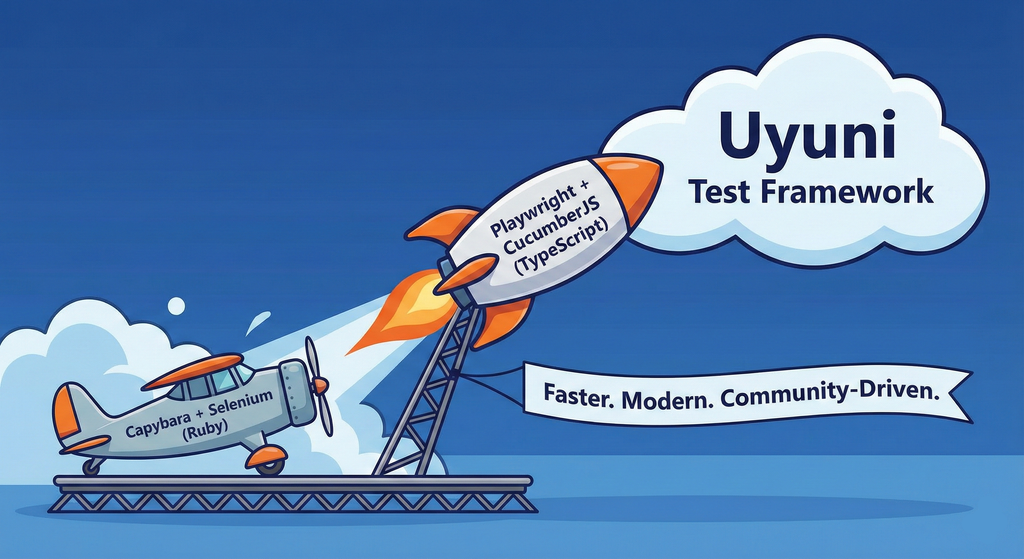
This project aims to migrate the existing Uyuni Test Framework from Selenium to Playwright. The move will improve the stability, speed, and maintainability of our end-to-end tests by leveraging Playwright's modern features. We'll be rewriting the current Selenium code in Ruby to Playwright code in TypeScript, which includes updating the test framework runner, step definitions, and configurations. This is also necessary because we're moving from Cucumber Ruby to CucumberJS.
If you're still curious about the AI in the title, it was just a way to grab your attention. Thanks for your understanding.
Nah, let's be honest  AI helped a lot to vibe code a good part of the Ruby methods of the Test framework, moving them to Typescript, along with the migration from Capybara to Playwright. I've been using "Cline" as plugin for WebStorm IDE, using Gemini API behind it.
Goals
- Migrate Core tests including Onboarding of clients
- Improve test reliabillity: Measure and confirm a significant reduction of flakiness.
- Implement a robust framework: Establish a well-structured and reusable Playwright test framework using the CucumberJS
Resources
- Existing Uyuni Test Framework (Cucumber Ruby + Capybara + Selenium)
- My Template for CucumberJS + Playwright in TypeScript
- Started Hackweek Project
Uyuni Health-check Grafana AI Troubleshooter by ygutierrez
Description
This project explores the feasibility of using the open-source Grafana LLM plugin to enhance the Uyuni Health-check tool with LLM capabilities. The idea is to integrate a chat-based "AI Troubleshooter" directly into existing dashboards, allowing users to ask natural-language questions about errors, anomalies, or performance issues.
Goals
- Investigate if and how the
grafana-llm-appplug-in can be used within the Uyuni Health-check tool. - Investigate if this plug-in can be used to query LLMs for troubleshooting scenarios.
- Evaluate support for local LLMs and external APIs through the plugin.
- Evaluate if and how the Uyuni MCP server could be integrated as another source of information.
Resources
Set Uyuni to manage edge clusters at scale by RDiasMateus
Description
Prepare a Poc on how to use MLM to manage edge clusters. Those cluster are normally equal across each location, and we have a large number of them.
The goal is to produce a set of sets/best practices/scripts to help users manage this kind of setup.
Goals
step 1: Manual set-up
Goal: Have a running application in k3s and be able to update it using System Update Controler (SUC)
- Deploy Micro 6.2 machine
Deploy k3s - single node
- https://docs.k3s.io/quick-start
Build/find a simple web application (static page)
- Build/find a helmchart to deploy the application
Deploy the application on the k3s cluster
Install App updates through helm update
Install OS updates using MLM
step 2: Automate day 1
Goal: Trigger the application deployment and update from MLM
- Salt states For application (with static data)
- Deploy the application helmchart, if not present
- install app updates through helmchart parameters
- Link it to GIT
- Define how to link the state to the machines (based in some pillar data? Using configuration channels by importing the state? Naming convention?)
- Use git update to trigger helmchart app update
- Recurrent state applying configuration channel?
step 3: Multi-node cluster
Goal: Use SUC to update a multi-node cluster.
- Create a multi-node cluster
- Deploy application
- call the helm update/install only on control plane?
- Install App updates through helm update
- Prepare a SUC for OS update (k3s also? How?)
- https://github.com/rancher/system-upgrade-controller
- https://documentation.suse.com/cloudnative/k3s/latest/en/upgrades/automated.html
- Update/deploy the SUC?
- Update/deploy the SUC CRD with the update procedure
Ansible to Salt integration by vizhestkov
Description
We already have initial integration of Ansible in Salt with the possibility to run playbooks from the salt-master on the salt-minion used as an Ansible Control node.
In this project I want to check if it possible to make Ansible working on the transport of Salt. Basically run playbooks with Ansible through existing established Salt (ZeroMQ) transport and not using ssh at all.
It could be a good solution for the end users to reuse Ansible playbooks or run Ansible modules they got used to with no effort of complex configuration with existing Salt (or Uyuni/SUSE Multi Linux Manager) infrastructure.
Goals
- [v] Prepare the testing environment with Salt and Ansible installed
- [v] Discover Ansible codebase to figure out possible ways of integration
- [v] Create Salt/Uyuni inventory module
- [v] Make basic modules to work with no using separate ssh connection, but reusing existing Salt connection
- [v] Test some most basic playbooks
Resources
Move Uyuni Test Framework from Selenium to Playwright + AI by oscar-barrios
Description
This project aims to migrate the existing Uyuni Test Framework from Selenium to Playwright. The move will improve the stability, speed, and maintainability of our end-to-end tests by leveraging Playwright's modern features. We'll be rewriting the current Selenium code in Ruby to Playwright code in TypeScript, which includes updating the test framework runner, step definitions, and configurations. This is also necessary because we're moving from Cucumber Ruby to CucumberJS.
If you're still curious about the AI in the title, it was just a way to grab your attention. Thanks for your understanding.
Nah, let's be honest AI helped a lot to vibe code a good part of the Ruby methods of the Test framework, moving them to Typescript, along with the migration from Capybara to Playwright. I've been using "Cline" as plugin for WebStorm IDE, using Gemini API behind it.
Goals
- Migrate Core tests including Onboarding of clients
- Improve test reliabillity: Measure and confirm a significant reduction of flakiness.
- Implement a robust framework: Establish a well-structured and reusable Playwright test framework using the CucumberJS
Resources
- Existing Uyuni Test Framework (Cucumber Ruby + Capybara + Selenium)
- My Template for CucumberJS + Playwright in TypeScript
- Started Hackweek Project