
 "Physical" notifications with Raspberry Pi and addressable LEDs
I'd like a way to have a device on my desk which lights up to indicate that I have something I should be paying attention to. Initially, I'd like this to be for Office365 calendar events and GitHub mentions, but ideally it should support arbitrary messages. The plan is to assign specific colors (ideally "patterns" consisting of a sequence of colors and time) to specific message types.
I have a handful of raspberry Pi Zeroes, a couple of OLEDs, a strand of individually-addressable RGB LEDs, a power supply, and some misc electronics (like the 3.3-5v logic level shifter necessary for the 5v LED strand). I'm thinking Python is probably the way to go for the software. I'm hoping OpenSUSE actually works on the Pi zero. :D If not, there's an ESP32 with a built-in display and a few Pi 3s laying around barely used, maybe one of them will work.
Either way, this should deliver a how-to (perhaps an instructable?) using all open source software.

Looking for hackers with the skills:
This project is part of:
Hack Week 19
Activity
Comments
-

almost 6 years ago by nunofilipesantos | Reply
There is actually a PiHat with LED Matrix display that you can address specific LEDs or just scroll text. You can try the emulator here: https://trinket.io/sense-hat
-

almost 6 years ago by dannysauer | Reply
I almost ordered one of those. But I want a big ol' display that gets my attention. :D So, I ended up with https://www.adafruit.com/product/3346 instead. It provides a few easy pickup points for several GPIOs, and also allows the potential of making noises to accompany the lights. :D
Similar Projects
openQA log viewer by mpagot
Description
*** Warning: Are You at Risk for VOMIT? ***
Do you find yourself staring at a screen, your eyes glossing over as thousands of lines of text scroll by? Do you feel a wave of text-based nausea when someone asks you to "just check the logs"?
You may be suffering from VOMIT (Verbose Output Mental Irritation Toxicity).
This dangerous, work-induced ailment is triggered by exposure to an overwhelming quantity of log data, especially from parallel systems. The human brain, not designed to mentally process 12 simultaneous autoinst-log.txt files, enters a state of toxic shock. It rejects the "Verbose Output," making it impossible to find the one critical error line buried in a 50,000-line sea of "INFO: doing a thing."
Before you're forced to rm -rf /var/log in a fit of desperation, we present the digital antacid.
No panic: we have The openQA Log Visualizer
This is the UI antidote for handling toxic log environments. It bravely dives into the chaotic, multi-machine mess of your openQA test runs, finds all the related, verbose logs, and force-feeds them into a parser.

Goals
Work on the existing POC openqa-log-visualizer about few specific tasks:
- add support for more type of logs
- extend the configuration file syntax beyond the actual one
- work on log parsing performance
Find some beta-tester and collect feedback and ideas about features
If time allow for it evaluate other UI frameworks and solutions (something more simple to distribute and run, maybe more low level to gain in performance).
Resources
mgr-ansible-ssh - Intelligent, Lightweight CLI for Distributed Remote Execution by deve5h
Description
By the end of Hack Week, the target will be to deliver a minimal functional version 1 (MVP) of a custom command-line tool named mgr-ansible-ssh (a unified wrapper for BOTH ad-hoc shell & playbooks) that allows operators to:
- Execute arbitrary shell commands on thousand of remote machines simultaneously using Ansible Runner with artifacts saved locally.
- Pass runtime options such as inventory file, remote command string/ playbook execution, parallel forks, limits, dry-run mode, or no-std-ansible-output.
- Leverage existing SSH trust relationships without additional setup.
- Provide a clean, intuitive CLI interface with --help for ease of use. It should provide consistent UX & CI-friendly interface.
- Establish a foundation that can later be extended with advanced features such as logging, grouping, interactive shell mode, safe-command checks, and parallel execution tuning.
The MVP should enable day-to-day operations to efficiently target thousands of machines with a single, consistent interface.
Goals
Primary Goals (MVP):
Build a functional CLI tool (mgr-ansible-ssh) capable of executing shell commands on multiple remote hosts using Ansible Runner. Test the tool across a large distributed environment (1000+ machines) to validate its performance and reliability.
Looking forward to significantly reducing the zypper deployment time across all 351 RMT VM servers in our MLM cluster by eliminating the dependency on the taskomatic service, bringing execution down to a fraction of the current duration. The tool should also support multiple runtime flags, such as:
mgr-ansible-ssh: Remote command execution wrapper using Ansible Runner

Usage: mgr-ansible-ssh [--help] [--version] [--inventory INVENTORY]
                   [--run RUN] [--playbook PLAYBOOK] [--limit LIMIT]
                   [--forks FORKS] [--dry-run] [--no-ansible-output]

Required Arguments
--inventory, -i      Path to Ansible inventory file to use

Any One of the Arguments Is Required
--run, -r            Execute the specified shell command on target hosts
--playbook, -p       Execute the specified Ansible playbook on target hosts

Optional Arguments
--help, -h           Show the help message and exit
--version, -v        Show the version and exit
--limit, -l          Limit execution to specific hosts or groups
--forks, -f          Number of parallel Ansible forks
--dry-run            Run in Ansible check mode (requires -p or --playbook)
--no-ansible-output  Suppress Ansible stdout output
Secondary/Stretched Goals (if time permits):
- Add pretty output formatting (success/failure summary per host).
- Implement basic logging of executed commands and results.
- Introduce safety checks for risky commands (shutdown, rm -rf, etc.).
- Package the tool so it can be installed with pip or stored internally.
Resources
Collaboration is welcome from anyone interested in CLI tooling, automation, or distributed systems. Skills that would be particularly valuable include:
- Python especially around CLI dev (argparse, click, rich)
Improve chore and screen time doc generator script `wochenplaner` by gniebler
Description
I wrote a little Python script to generate PDF docs, which can be used to track daily chore completion and screen time usage for several people, with one page per person/week.
I named this script wochenplaner and have been using it for a few months now.
It needs some improvements and adjustments in how the screen time should be tracked and how chores are displayed.
Goals
- Fix chore field separation lines
- Change screen time tracking logic from "global" (week-long) to daily subtraction and weekly addition of remainders (more intuitive than current "weekly time budget method)
- Add logic to fill in chore fields/lines, ideally with pictures, falling back to text.
Resources
tbd (Gitlab repo)
Improve/rework household chore tracker `chorazon` by gniebler
Description
I wrote a household chore tracker named chorazon, which is meant to be deployed as a web application in the household's local network.
It features the ability to set up different (so far only weekly) schedules per task and per person, where tasks may span several days.
There are "tokens", which can be collected by users. Tasks can (and usually will) have rewards configured where they yield a certain amount of tokens. The idea is that they can later be redeemed for (surprise) gifts, but this is not implemented yet. (So right now one needs to edit the DB manually to subtract tokens when they're redeemed.)
Days are not rolled over automatically, to allow for task completion control.
We used it in my household for several months, with mixed success. There are many limitations in the system that would warrant a revisit.
It's written using the Pyramid Python framework with URL traversal, ZODB as the data store and Web Components for the frontend.
Goals
- Add admin screens for users, tasks and schedules
- Add models, pages etc. to allow redeeming tokens for gifts/surprises
- …?
Resources
tbd (Gitlab repo)
VimGolf Station by emiler
Description
VimGolf is a challenge game where the goal is to edit a given piece of text into a desired final form using as few keystrokes as possible in Vim.
Some time ago, I built a rough portable station using a Raspberry Pi and a spare monitor. It was initially used to play VimGolf at the office and later repurposed for publicity at several events. This project aims to create a more robust version of that station and provide the necessary scripts and Ansible playbooks to make configuring your own VimGolf station easy.
Goals
- Refactor old existing scripts
- Implement challenge selecion
- Load external configuration files
- Create Ansible playbooks
- Publish on GitHub
Resources
- https://www.vimgolf.com/
- https://github.com/dstein64/vimgolf
- https://github.com/igrigorik/vimgolf
Capyboard, ESP32 Development Board for Education by emiler
Capyboard is an ESP32 development board built to accept individual custom-made modules. The board is created primarily for use in education, where you want to focus on embedded programming instead of spending time with connecting cables and parts on a breadboard, as you would with Arduino and other such devices. The board is not limited only to education and it can be used to build, for instance, a very powerful internal meteo-station and so on.
- github.com/realcharmer/capyboard
- github.com/realcharmer/capyboard-starter
- github.com/realcharmer/capyboard-docs
- github.com/realcharmer/capyboard-examples
- docs.capyboard.dev
Hack Week 25
My plan is to create a new revision of the board with updated dimensions and possibly even use a new ESP32 with Zigbee/Thread support. I also want to create an extensive library of example projects and expand the documentation. It would be nice to also design additional modules, such as multiplexer or an environment module.
Goals
- Implement changes to a new board revision
- Design additional modules
- Expand documentation and examples
- Migrate documentation backend from MkDocs to Zensical
Hack Week 24
I created a new motherboard revision after testing my previous prototype, as well as a light module. This project was also a part of my master's thesis, which was defended successfully.
Goals
- Finish testing of a new prototype
- Publish source files
- Documentation completion
- Finish writing thesis
Backfire TV - Take back control of your Firestick by andreabenini
Take Back Control of Your Amazon Firestick.
Tired of Ads, a cluttered launcher, and buttons you can't change? BackFireTV is a project to liberate your Firestick from Amazon's walled garden and make it truly yours. They call it the firestick. To fight fire with fire, you need a backfire.
That's the soul of BackFireTV. To truly liberate it and return back to its core capabilities this project uses a linux script, one Android app and ADB access against Amazon's restrictive policies. We leverage these internal tools to create a "backfire" against the incessant ads and locked ecosystem, transforming your Firestick back into the useful, customizable device it was always meant to be.
The Problem
The Amazon Firestick starts as an excellent, affordable streaming device. However, Amazon's
aggressive Ad policies and restrictive ecosystem have turned it into an increasingly annoying
and a less useful device. It comes with frustrations:
- Messy interface. The less the better was probably the best slogan for the early device,
its interface is now cluttered and chaotic when you probably need just a couple of buttons
for starting your favorite applications.
- Constant Ads. The default launcher is filled with commercials and sponsored content.
- Bloated Interface. A cluttered and slow home screen you can't customize.
- Locked Buttons. Dedicated buttons for services you don't use (like popular streaming
providers) that can't be easily changed.
- Lack of Control. A closed ecosystem that limits what you can do.
I could overlook them all if the device was provided for free. But since you pay and you own it it should be legit to do whatever you please in your personal device and network.
The Solution: BackFireTV
BackFireTV hacks your Firestick to give you back control. It uses a clever system of DHCP hooks
and ADB (Android Debug Bridge) commands to remotely manage your device, block annoyances and
customize your experience from the moment it connects to your network.
The dhcp lease action starts a nohup command on the firestick and forgets about it, the daemon
then manages running programs, hacks remote control features and keys. It can be paused or
resumed, no rooting required.
Features
- Custom Launcher. Automatically replaces the default Amazon launcher with the lean and clean Wolf Launcher.
- Ad-Free Experience:. Blocks annoying ads and sponsored content for a cleaner interface.
- Button Remapping. Reprogram the physical buttons on your remote. For example, make the Disney+ button launch Kodi or your favorite application.
- Works on every firestick 4K. Tested on: Firestick TV 4k (1st/2nd gen), Firestick TV 4k Max.
- No rooting required. It runs on basic user permissions with standard privileges. It also works on standard devices: latest firmware, with or without external hw attached (usb storage, network cards, usb hubs, ...).
- No banned apps. This hack relies on the linux subsystem underneath, no matter what Amazon does on the AppStore, this script can always be sideloaded and cannot be banned (no fingerprints on android app layer).
- Toggle to default anytime. Standard amazon launcher can still be toggled any time for administrative tasks or just as a comparison. Feel free to manage it as usual and switch back to
OSHW USB token for Passkeys (FIDO2, U2F, WebAuthn) and PGP by duwe
Description
The idea to carry your precious key material along in a specially secured hardware item is almost as old as public keys themselves, starting with the OpenPGP card. Nowadays, an USB plug or NFC are the hardware interfaces of choice, and password-less log-ins are fortunately becoming more popular and standardised.
Meanwhile there are a few products available in that field, for example
yubikey - the "market leader", who continues to sell off buggy, allegedly unfixable firmware ROMs from old stock. Needless to say, it's all but open source, so assume backdoors.
nitrokey - the "start" variant is open source, but the hardware was found to leak its flash ROM content via the SWD debugging interface (even when the flash is read protected !) Compute power is barely enough for Curve25519, Flash memory leaves room for only 3 keys.
solokey(2) - quite neat hardware, with a secure enclave called "TrustZone-M". Unfortunately, the OSS firmware development is stuck in a rusty dead end and cannot use it. Besides, NXP's support for open source toolchains for its devboards is extremely limited.
I plan to base this project on the not-so-tiny USB stack, which is extremely easy to retarget, and to rewrite / refactor the crypto protocols to use the keys only via handles, so the actual key material can be stored securely. Best OSS support seems to be for STM32-based products.
Goals
Create a proof-of-concept item that can provide a second factor for logins and/or decrypt a PGP mail with your private key without disclosing the key itself. Implement or at least show a migration path to store the private key in a location with elevated hardware security.
Resources
STM32 Nucleo, blackmagic probe, tropicsquare tropic01, arm-none cross toolchain
Build a Single Camera 3D Scanner (Photogrammetry). by lparkin
Description
I want to see how fast I can develop a single-camera (pi camera module v3) rig with a stepper motor controlling a turntable that rotates the model being scanned. The trick here is not to be super fancy with 100's of sensors and data inputs, quite the opposite. I want to see how accurate I can scan objects into 3D-printable models using only a camera and as many fixed and known parameters as possible.
Speed to be augmented with agentic AI coding companion. As it stands, I have a 3D printer, pretty much all the electronics I need.
Goals
- Design and print working/workable camera rig
- Design and print working/workable turntable (considering printing my own cylinder-style bearings as well)
- Assemble rig components into MVP assembly
- Develop application that can hook into existing tools, or leverage a library like openCV, to process 2D images into a 3D model.
- Iterate until models are good enough to 3D print.
Resources
- https://www.instructables.com/3D-scanning-Photogrammetry-with-a-rotating-platfor/
- https://www.instructables.com/3d-Scan-Anything-Using-Just-a-Camera/
- https://www.instructables.com/Build-a-DIY-Desktop-3d-Scanner-With-Infinite-Resol/
- https://www.instructables.com/3D-Laser-Scanning-DIY/
Learn hot air soldering for GBA-CPU and RAM transfer by robert.richardson
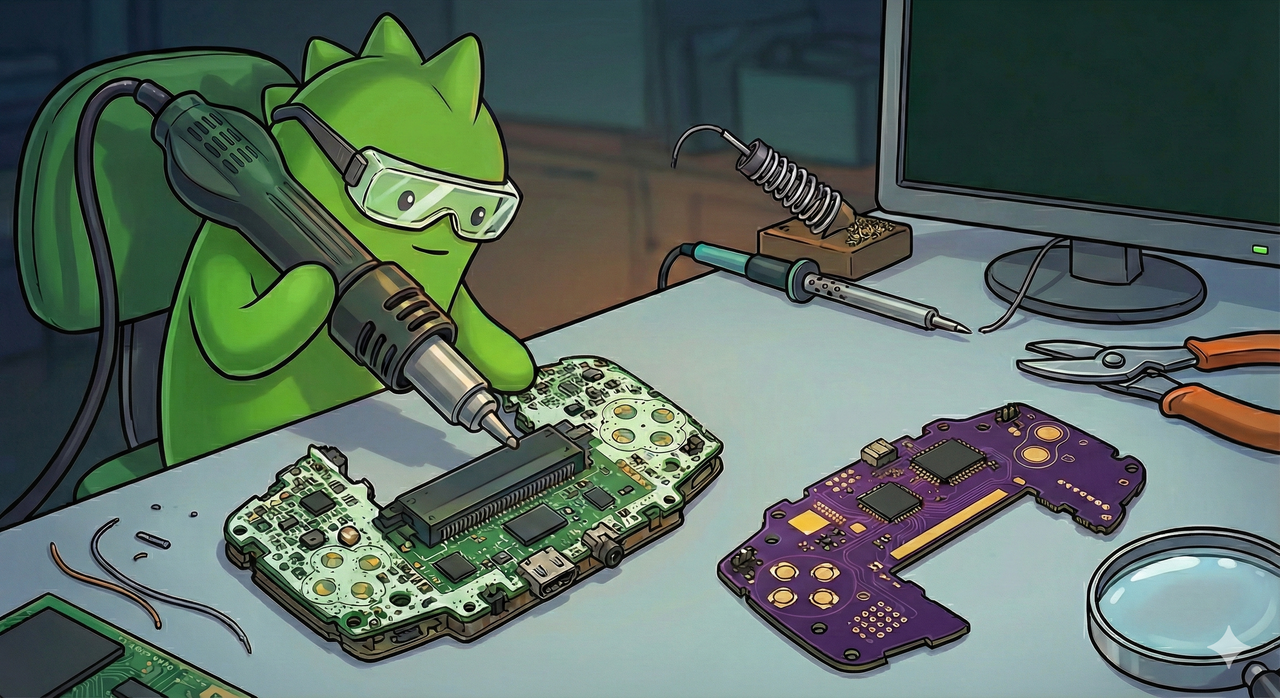
Description
I want to practice hot‑air soldering to then transfer a Game Boy Advance CPU and RAM from a damaged unit onto a new "custom" motherboard.
Goals
I want to first learn the hot air soldering fundamentals by removing a couple of components from already broken electronics.
My final goal for the project would be to de-solder the CPU/RAM units of a damaged Game Boy Advance motherboard and re-solder them onto a new "custom" one.
If anyone here wants to also try hot-air-soldering, feel free to come by the NBG office. I plan to do this on Tuesday and/or maybe Wednesday. If you would like to join but are only able to on another day, let me know.
Resources
I basically already have everything needed, except maybe for the broken electronics to test on, but i'm sure i'll find something until Hackweek starts.
Equipment
- Hot air soldering gun
- Soldering iron
- Solder, Flux, Sponge, De-solder, etc..
Components
- Old GBA Motherboard with working CPU & RAM
- New GBA Motherboard
- Metal/Glass GBA Case
- Metal GBA Buttons
issuefs: FUSE filesystem representing issues (e.g. JIRA) for the use with AI agents code-assistants by llansky3
Description
Creating a FUSE filesystem (issuefs) that mounts issues from various ticketing systems (Github, Jira, Bugzilla, Redmine) as files to your local file system.
And why this is good idea?
- User can use favorite command line tools to view and search the tickets from various sources
- User can use AI agents capabilities from your favorite IDE or cli to ask question about the issues, project or functionality while providing relevant tickets as context without extra work.
- User can use it during development of the new features when you let the AI agent to jump start the solution. The issuefs will give the AI agent the context (AI agents just read few more files) about the bug or requested features. No need for copying and pasting issues to user prompt or by using extra MCP tools to access the issues. These you can still do but this approach is on purpose different.

Goals
- Add Github issue support
- Proof the concept/approach by apply the approach on itself using Github issues for tracking and development of new features
- Add support for Bugzilla and Redmine using this approach in the process of doing it. Record a video of it.
- Clean-up and test the implementation and create some documentation
- Create a blog post about this approach
Resources
There is a prototype implementation here. This currently sort of works with JIRA only.
The Agentic Rancher Experiment: Do Androids Dream of Electric Cattle? by moio
Rancher is a beast of a codebase. Let's investigate if the new 2025 generation of GitHub Autonomous Coding Agents and Copilot Workspaces can actually tame it. 
The Plan
Create a sandbox GitHub Organization, clone in key Rancher repositories, and let the AI loose to see if it can handle real-world enterprise OSS maintenance - or if it just hallucinates new breeds of Kubernetes resources!
Specifically, throw "Agentic Coders" some typical tasks in a complex, long-lived open-source project, such as:
❥ The Grunt Work: generate missing GoDocs, unit tests, and refactorings. Rebase PRs.
❥ The Complex Stuff: fix actual (historical) bugs and feature requests to see if they can traverse the complexity without (too much) human hand-holding.
❥ Hunting Down Gaps: find areas lacking in docs, areas of improvement in code, dependency bumps, and so on.
If time allows, also experiment with Model Context Protocol (MCP) to give agents context on our specific build pipelines and CI/CD logs.
Why?
We know AI can write "Hello World." and also moderately complex programs from a green field. But can it rebase a 3-month-old PR with conflicts in rancher/rancher? I want to find the breaking point of current AI agents to determine if and how they can help us to reduce our technical debt, work faster and better. At the same time, find out about pitfalls and shortcomings.
The CONCLUSION!!!
A  State of the Union document was compiled to summarize lessons learned this week. For more gory details, just read on the diary below!
Is SUSE Trending? Popularity and Developer Sentiment Insight Using Native AI Capabilities by terezacerna
Description
This project aims to explore the popularity and developer sentiment around SUSE and its technologies compared to Red Hat and their technologies. Using publicly available data sources, I will analyze search trends, developer preferences, repository activity, and media presence. The final outcome will be an interactive Power BI dashboard that provides insights into how SUSE is perceived and discussed across the web and among developers.
Goals
- Assess the popularity of SUSE products and brand compared to Red Hat using Google Trends.
- Analyze developer satisfaction and usage trends from the Stack Overflow Developer Survey.
- Use the GitHub API to compare SUSE and Red Hat repositories in terms of stars, forks, contributors, and issue activity.
- Perform sentiment analysis on GitHub issue comments to measure community tone and engagement using built-in Copilot capabilities.
- Perform sentiment analysis on Reddit comments related to SUSE technologies using built-in Copilot capabilities.
- Use Gnews.io to track and compare the volume of news articles mentioning SUSE and Red Hat technologies.
- Test the integration of Copilot (AI) within Power BI for enhanced data analysis and visualization.
- Deliver a comprehensive Power BI report summarizing findings and insights.
- Test the full potential of Power BI, including its AI features and native language Q&A.
Resources
- Google Trends: Web scraping for search popularity data
- Stack Overflow Developer Survey: For technology popularity and satisfaction comparison
- GitHub API: For repository data (stars, forks, contributors, issues, comments).
- Gnews.io API: For article volume and mentions analysis.
- Reddit: SUSE related topics with comments.