
Project Description
Goal is to write a salt formula for setup a uyuni proxy.
Goal for this Hackweek
- Learn about salt formula
- setup a uyuni proxy using a salt formula
- if there's still time, write also a salt formula for setup a containerized uyuni proxy using a salt formula
Resources
Current uyuni proxy setup procedure: https://www.uyuni-project.org/uyuni-docs/en/uyuni/installation-and-upgrade/uyuni-proxy-setup.html
No Hackers yet
Looking for hackers with the skills:
This project is part of:
Hack Week 21
Activity
Comments
-

over 3 years ago by mbussolotto | Reply
https://build.opensuse.org/package/show/home:mbussolotto/configure-proxy-formula
https://github.com/mbussolotto/salt-formulas/tree/configure-proxy-formula/configure-proxy-formula
Similar Projects
Uyuni Health-check Grafana AI Troubleshooter by ygutierrez
Description
This project explores the feasibility of using the open-source Grafana LLM plugin to enhance the Uyuni Health-check tool with LLM capabilities. The idea is to integrate a chat-based "AI Troubleshooter" directly into existing dashboards, allowing users to ask natural-language questions about errors, anomalies, or performance issues.
Goals
- Investigate if and how the
grafana-llm-appplug-in can be used within the Uyuni Health-check tool. - Investigate if this plug-in can be used to query LLMs for troubleshooting scenarios.
- Evaluate support for local LLMs and external APIs through the plugin.
- Evaluate if and how the Uyuni MCP server could be integrated as another source of information.
Resources
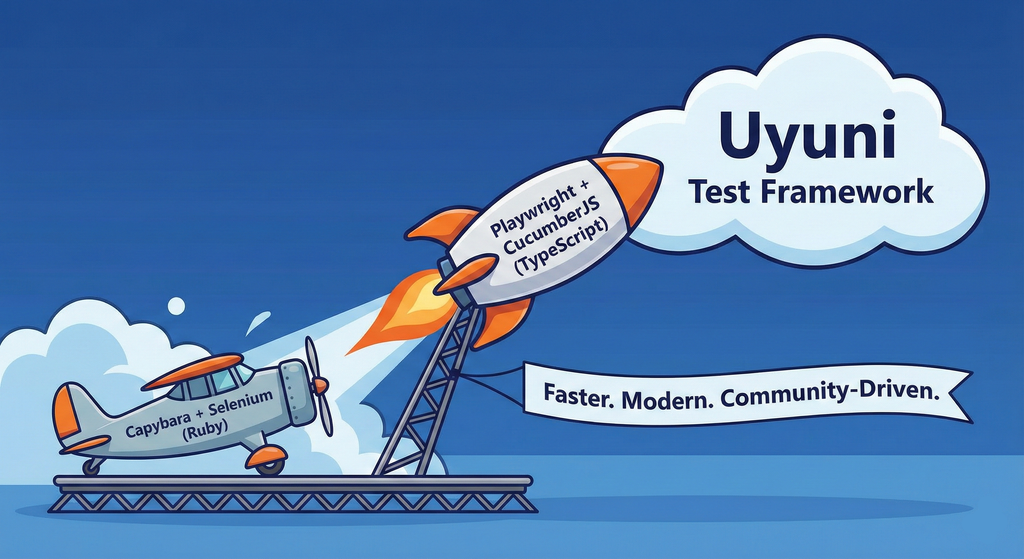
Move Uyuni Test Framework from Selenium to Playwright + AI by oscar-barrios
Description
This project aims to migrate the existing Uyuni Test Framework from Selenium to Playwright. The move will improve the stability, speed, and maintainability of our end-to-end tests by leveraging Playwright's modern features. We'll be rewriting the current Selenium code in Ruby to Playwright code in TypeScript, which includes updating the test framework runner, step definitions, and configurations. This is also necessary because we're moving from Cucumber Ruby to CucumberJS.
If you're still curious about the AI in the title, it was just a way to grab your attention. Thanks for your understanding.
Nah, let's be honest  AI helped a lot to vibe code a good part of the Ruby methods of the Test framework, moving them to Typescript, along with the migration from Capybara to Playwright. I've been using "Cline" as plugin for WebStorm IDE, using Gemini API behind it.
Goals
- Migrate Core tests including Onboarding of clients
- Improve test reliabillity: Measure and confirm a significant reduction of flakiness.
- Implement a robust framework: Establish a well-structured and reusable Playwright test framework using the CucumberJS
Resources
- Existing Uyuni Test Framework (Cucumber Ruby + Capybara + Selenium)
- My Template for CucumberJS + Playwright in TypeScript
- Started Hackweek Project
Uyuni Saltboot rework by oholecek
Description
When Uyuni switched over to the containerized proxies we had to abandon salt based saltboot infrastructure we had before. Uyuni already had integration with a Cobbler provisioning server and saltboot infra was re-implemented on top of this Cobbler integration.
What was not obvious from the start was that Cobbler, having all it's features, woefully slow when dealing with saltboot size environments. We did some improvements in performance, introduced transactions, and generally tried to make this setup usable. However the underlying slowness remained.
Goals
This project is not something trying to invent new things, it is just finally implementing saltboot infrastructure directly with the Uyuni server core.
Instead of generating grub and pxelinux configurations by Cobbler for all thousands of systems and branches, we will provide a GET access point to retrieve grub or pxelinux file during the boot:
/saltboot/group/grub/$fqdn and similar for systems /saltboot/system/grub/$mac
Next we adapt our tftpd translator to query these points when asked for default or mac based config.
Lastly similar thing needs to be done on our apache server when HTTP UEFI boot is used.
Resources
Enable more features in mcp-server-uyuni by j_renner
Description
I would like to contribute to mcp-server-uyuni, the MCP server for Uyuni / Multi-Linux Manager) exposing additional features as tools. There is lots of relevant features to be found throughout the API, for example:
- System operations and infos
- System groups
- Maintenance windows
- Ansible
- Reporting
- ...
At the end of the week I managed to enable basic system group operations:
- List all system groups visible to the user
- Create new system groups
- List systems assigned to a group
- Add and remove systems from groups
Goals
- Set up test environment locally with the MCP server and client + a recent MLM server [DONE]
- Identify features and use cases offering a benefit with limited effort required for enablement [DONE]
- Create a PR to the repo [DONE]
Resources
Testing and adding GNU/Linux distributions on Uyuni by juliogonzalezgil
Join the Gitter channel! https://gitter.im/uyuni-project/hackweek
Uyuni is a configuration and infrastructure management tool that saves you time and headaches when you have to manage and update tens, hundreds or even thousands of machines. It also manages configuration, can run audits, build image containers, monitor and much more!
Currently there are a few distributions that are completely untested on Uyuni or SUSE Manager (AFAIK) or just not tested since a long time, and could be interesting knowing how hard would be working with them and, if possible, fix whatever is broken.
For newcomers, the easiest distributions are those based on DEB or RPM packages. Distributions with other package formats are doable, but will require adapting the Python and Java code to be able to sync and analyze such packages (and if salt does not support those packages, it will need changes as well). So if you want a distribution with other packages, make sure you are comfortable handling such changes.
No developer experience? No worries! We had non-developers contributors in the past, and we are ready to help as long as you are willing to learn. If you don't want to code at all, you can also help us preparing the documentation after someone else has the initial code ready, or you could also help with testing :-)
The idea is testing Salt (including bootstrapping with bootstrap script) and Salt-ssh clients
To consider that a distribution has basic support, we should cover at least (points 3-6 are to be tested for both salt minions and salt ssh minions):
- Reposync (this will require using spacewalk-common-channels and adding channels to the .ini file)
- Onboarding (salt minion from UI, salt minion from bootstrap scritp, and salt-ssh minion) (this will probably require adding OS to the bootstrap repository creator)
- Package management (install, remove, update...)
- Patching
- Applying any basic salt state (including a formula)
- Salt remote commands
- Bonus point: Java part for product identification, and monitoring enablement
- Bonus point: sumaform enablement (https://github.com/uyuni-project/sumaform)
- Bonus point: Documentation (https://github.com/uyuni-project/uyuni-docs)
- Bonus point: testsuite enablement (https://github.com/uyuni-project/uyuni/tree/master/testsuite)
If something is breaking: we can try to fix it, but the main idea is research how supported it is right now. Beyond that it's up to each project member how much to hack :-)
- If you don't have knowledge about some of the steps: ask the team
- If you still don't know what to do: switch to another distribution and keep testing.
This card is for EVERYONE, not just developers. Seriously! We had people from other teams helping that were not developers, and added support for Debian and new SUSE Linux Enterprise and openSUSE Leap versions :-)
In progress/done for Hack Week 25
Guide
We started writin a Guide: Adding a new client GNU Linux distribution to Uyuni at https://github.com/uyuni-project/uyuni/wiki/Guide:-Adding-a-new-client-GNU-Linux-distribution-to-Uyuni, to make things easier for everyone, specially those not too familiar wht Uyuni or not technical.
openSUSE Leap 16.0
The distribution will all love!
https://en.opensuse.org/openSUSE:Roadmap#DRAFTScheduleforLeap16.0
Curent Status We started last year, it's complete now for Hack Week 25! :-D
[W]Reposync (this will require using spacewalk-common-channels and adding channels to the .ini file) NOTE: Done, client tools for SLMicro6 are using as those for SLE16.0/openSUSE Leap 16.0 are not available yet[W]Onboarding (salt minion from UI, salt minion from bootstrap scritp, and salt-ssh minion) (this will probably require adding OS to the bootstrap repository creator)[W]Package management (install, remove, update...). Works, even reboot requirement detection